



Create multiple Snapchat accounts
Create and manage multiple Snapchat accounts from one dashboard with Multilogin Cloud Phones.
- Run each social profile in its own Android cloud phone
- Keep app data, login sessions, and network settings separate
Run multiple Snapchat accounts on one device
Manage several Snapchat accounts without carrying several physical phones. Each Snapchat social profile can run in its own Android cloud phone with separate app data, device parameters, session history, and proxy settings.
Manage Snapchat accounts in native Android apps
Use Snapchat inside a real Android environment hosted in the cloud instead of relying on browser-only or app-cloning workflows.
- Real Android cloud phones
- Native Snapchat app
- One dashboard for mobile and web workflows
Run as many Snapchat accounts as you need
With one-click proxy setup and fully isolated profiles make scaling Snapchat accounts simple.
Create, clone, transfer, or export accounts in seconds, with no overlap, detection, or limits.
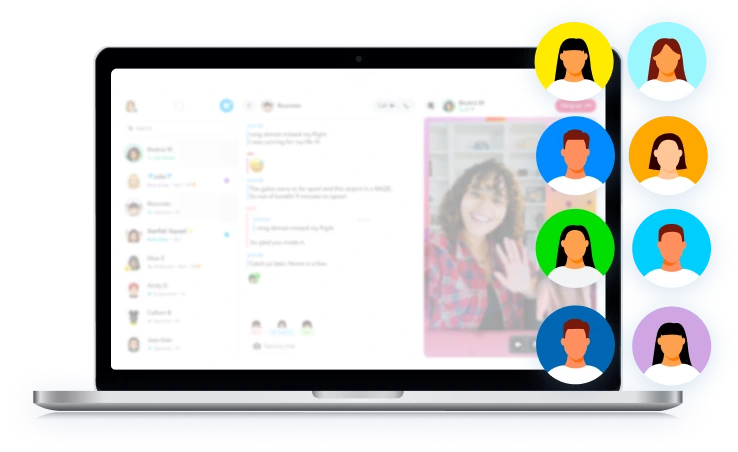
Share multiple Snapchat accounts with your team
Securely share Snapchat accounts with your team and assign permissions for independent account management.
Pause or resume work sessions anytime, without sharing passwords or risking account security.
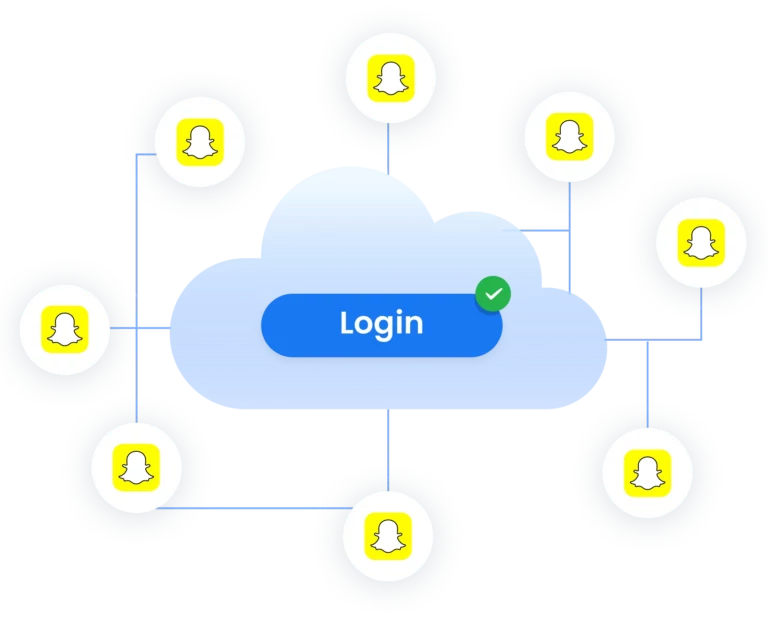
Protect Snapchat accounts with built-in proxies
Protect your Snapchat accounts using built-in residential proxies.
Multilogin offers IPs from 150+ countries and keeps each account in isolated environment, supporting long-term stability.
Grow your social media accounts with Multilogin cloud phones
-
Unlimited time
-
Mobile and browser profiles included
-
Free built-in proxies & mobile minutes
-
Unlimited time
-
Mobile and browser profiles included
-
Free built-in proxies & mobile minutes
What is a cloud phone?
A cloud phone is a remote Android device that lets you install apps, keep sessions, and manage mobile accounts without using a physical phone.
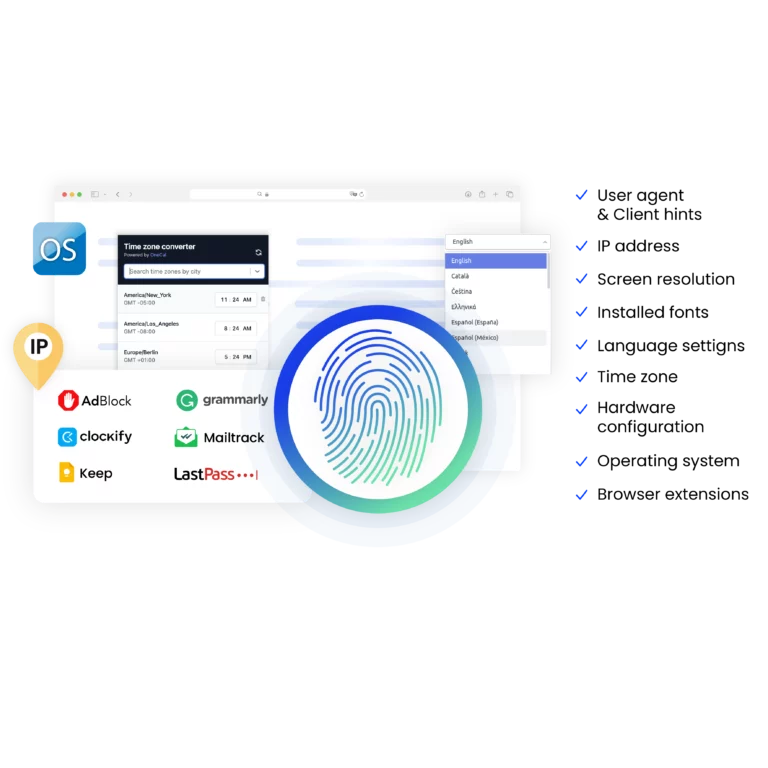
Why choose Multilogin for managing multiple accounts?
Multilogin brings Android Cloud Phones, browser profiles, built-in proxies, team controls, and automation tools into one platform.
For Snapchat, you can give each social profile its own persistent Android environment, then manage those profiles alongside the rest of your web and mobile accounts.
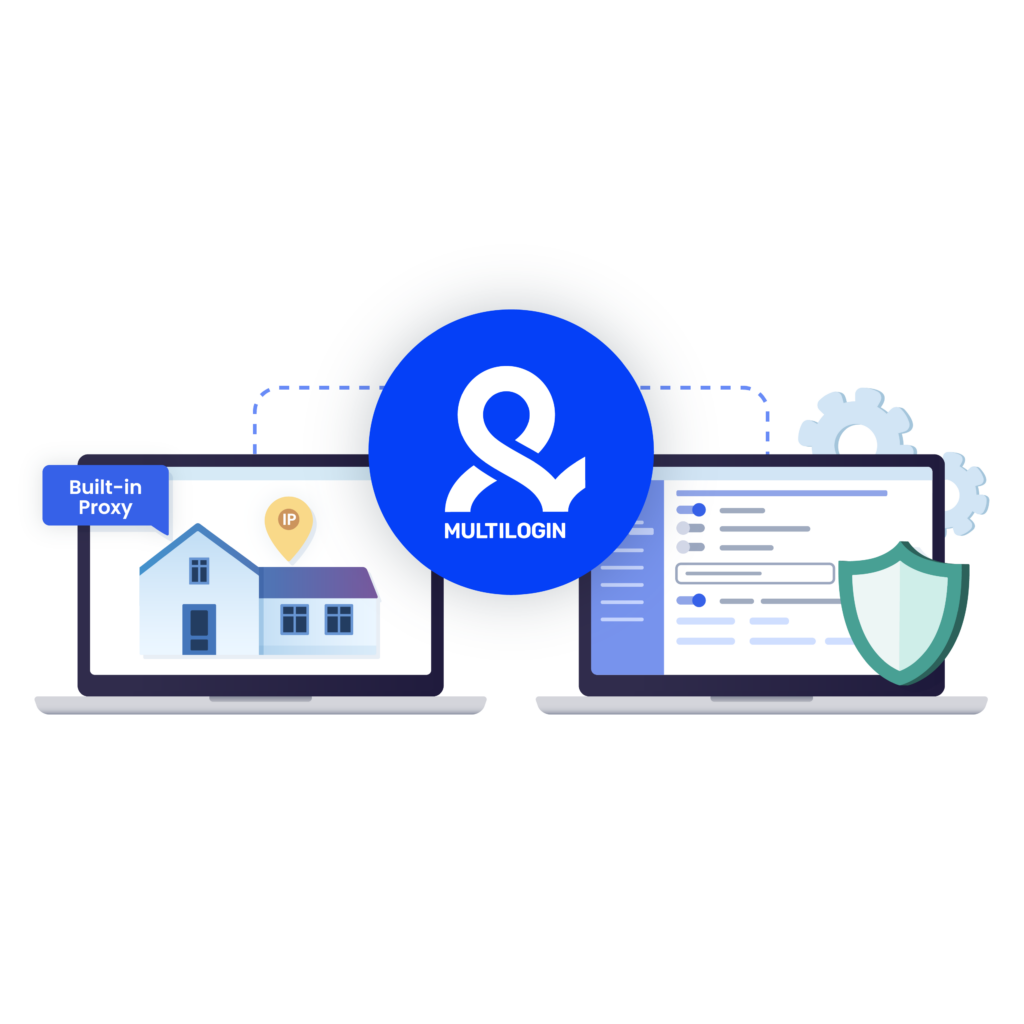
What Multilogin offers that other multi-accounting browsers don't
Easy collaboration for teams
Flexible automation support
Built-in proxies
Session persistence
Human behavior simulation
Account longevity
Multilogin Key Features For Creating Multiple Snapchat Accounts

Mimics natural human browsing
Our anti-fingerprinting tech bypasses multi-account and automated browser detection by masking unique browser fingerprints.
Built for Team Collaboration
You can collaborate on browser profiles and easily share passwords, cookies, and session progress with team members..
Data sync over Cloud
Cookies, extensions, and bookmarks are stored in encrypted cloud storage and synced across devices; local storage is also available.

Android Chrome Emulation
Emulates mobile browser behavior for accurate operation on mobile-first platforms.

Built-in proxies with traffic
Every plan includes integrated proxies with traffic; supports HTTP/HTTPS/SOCKS5. Unused traffic rolls over to the next month.

Dynamic residential IPs
Premium residential IPs in 150+ countries and 1,400+ cities, tested daily for reliability.
Chrome & Firefox interfaces
Mimic (Chromium-based) and Stealthfox (Firefox-based) ensure natural behavior and maximum site compatibility.
Ultra-stable sticky sessions
Proxy network optimized for Multilogin; IPs can remain unchanged for up to 24 hours.
Live session dashboard
View all active profiles at a glance; monitor statuses and control operations without switching tabs.
Enterprise-grade security
Profile encryption, 2FA, strict access controls, and privacy compliance for safe multi-account management.
Import/export & bulk operations
Transfer profiles (including fingerprints and cookies) quickly and migrate from other multi-accounting tools without downtime.
Automation via API
Automate repetitive tasks with Selenium, Playwright, Puppeteer, or Postman while staying undetected by anti-bot algorithms.
Related solutions you might like
Try Multilogin today and experience safer, smarter multi-accounting
Run unlimited accounts securely, bypass detection, and stay human-like online — all from one platform.
Why people love Multilogin

Ha D.
Social Media Marketing Retail

Nino Latif

Stanislav K.
Marketing Manager

Elen S.
Marketing Manager

Hamza Arif
E-commerce Manager


Nick Horvath
Marketing agency
Most Awarded Multi-Accounting Browser













How to start using Multilogin
Start managing accounts effortlessly with the industry leading multi-accounting browser.

Sign up
Register using a verified email address.

Choose your plan
Select from various subscription plans tailored to your needs.

Download Multilogin agent
Available for Windows, Mac, and Linux.

Access the Multilogin dashboard
Start creating multi-accounting browser and Cloud Phones profiles.

Run multiple Snapchat accounts
Set up and manage multiple Snapchat accounts using separate browser profiles or Cloud Phones.
Watch the Multilogin Demo for creating multiple accounts on Snapchat
Get a 10-minute demo video on how Multilogin can help you create multiple Snapchat accounts while remaining undetected. Just fill in data below, and we’ll deliver the demo video immediately.

Managing multiple Snapchat accounts safely and at scale
Can you have multiple Snapchat accounts? Yes. Snapchat’s own support documentation confirms that a person can have more than one Snapchat account. What becomes harder is keeping several accounts organized when you are handling clients, brands, campaigns, or different social media projects.
Snapchat is primarily a mobile app, so repeatedly signing different accounts into the same physical phone is not always the cleanest operational workflow. Agencies and social media teams may also need persistent access, different account owners, team permissions, and a clear separation between client environments.
If you want a more detailed Snapchat-specific walkthrough, see our full guide to managing multiple Snapchat accounts or our guide to using a Cloud Phone for Snapchat.
Can you have multiple Snapchat accounts?
Yes. Snapchat officially states that you can have more than one Snapchat account.
There is an important distinction, though. Multiple standard Snapchat accounts are not the same thing as multiple Public Profiles. Snapchat has a Profile Switcher for eligible users who manage more than one Public Profile, while standard accounts can also have login information saved on a device so you can sign back in after logging out.
For marketers or agencies asking “can I have multiple Snapchat accounts?”, the bigger question is therefore not whether a second account can exist. It is how those accounts should be organized when the number of profiles grows.
How to create multiple Snapchat accounts in 2026
Creating another Snapchat account still starts with Snapchat’s normal registration process.
According to Snapchat’s official account creation instructions, you download or open Snapchat, select Sign Up, enter your details, choose a username and password, then add a phone number or choose email signup.
For a structured multi-account workflow:
- Create each Snapchat account through Snapchat’s official registration process.
- Use separate and valid account details for each profile.
- Create a dedicated Android Cloud Phone for the social profile.
- Install Snapchat and sign in to the relevant account.
- Keep the profile organized by client, campaign, brand, or market.
- Follow Snapchat’s Terms of Service and Community Guidelines for every account.
With Multilogin, the mobile setup starts from Profiles → Mobile → Create. You can see the current workflow in our Android Cloud Phone setup guide.
Why separate environments matter for Snapchat account management
Snapchat accounts store more than a username and password. The native app also operates inside a device environment with its own app data, login state, and network connection.
Using a dedicated environment for each social profile makes the operational boundary clear. Account A stays in its cloud phone, Account B stays in another, and a team member can return to the same environment later rather than reconstructing the setup every time.
This is the same principle behind broader multi-account management, but Snapchat benefits particularly from a mobile-first setup.
For mobile social networks, Multilogin Cloud Phones for social media provide dedicated Android environments instead of making teams rely on stacks of physical phones.
What you need for Snapchat multi-account management
A practical Snapchat multi-account setup should give each social profile a predictable place to live.
- Dedicated account environment: Keep one Snapchat social profile in one cloud phone.
- Persistent app data: Return to the same Snapchat installation and session.
- Separate network setup: Assign an appropriate proxy configuration to each environment.
- Clear account organization: Use names, folders, tags, and notes so team members know which profile belongs to which project.
- Controlled team access: Give people access only to the profiles required for their work.
Multilogin also includes built-in residential proxy support while allowing third-party proxy configurations.
Can you have multiple Snapchat accounts on one phone?
Yes, you can use more than one Snapchat account from the same physical phone, but Snapchat does not document a simultaneous standard-account experience in the same way that some other social apps do.
Snapchat’s official support documentation says saved login information can appear on the login screen after you sign out, allowing you to return to a saved account with one tap.
There is also a separate feature for eligible users with multiple Public Profiles. Snapchat’s Profile Switcher lets them move between those Public Profiles without treating each Public Profile as a separate standard Snapchat login.
For two personal accounts, manually switching may be enough. For agencies asking how to run multiple Snapchat accounts across many clients, separate cloud phones make the workflow easier to organize.
How to switch between multiple Snapchat accounts
For separate Snapchat accounts, Snapchat lets you save login information on a device. After signing out, a saved account can appear on the login screen so you can sign back in with one tap.
For multiple eligible Public Profiles, Snapchat provides its own Profile Switcher. Open your Profile, tap the display name or chevron, then select the Public Profile you want to manage.
If you manage many separate client or brand accounts, you can instead switch between dedicated Android Cloud Phones from the Multilogin dashboard. The Snapchat app and account session remain inside the corresponding cloud phone.
Can you have multiple Snapchat accounts with the same number?
You may be able to create more than one account using the same contact information initially, but the same mobile number cannot stay verified across multiple Snapchat accounts.
Snapchat explains that only one unique email and/or mobile number can be verified per account. If the same number is verified on a newer account, it is removed from the older account.
For account recovery and ownership clarity, use contact information you control and follow Snapchat’s verification requirements.
How to have multiple Snapchat accounts on Android
Android users can log out of one Snapchat account and return to another saved login. Some physical Android phones also offer manufacturer-specific app duplication features, although these setups vary by device.
For professional account management, another option is to give each Snapchat account its own Android Cloud Phone. Multilogin lets you open several cloud phones from your desktop and keep each app environment persistent.
This is particularly useful when your broader social media management workflow includes Snapchat plus other mobile-first platforms.
How to use multiple Snapchat accounts on iPhone
On iPhone, Snapchat can save account login information so an account appears on the login screen after logout. Snapchat also notes that saved login details may appear on another iOS device using the same iCloud account.
If you only have two personal accounts, that may be enough.
For a larger business workflow, constantly signing accounts in and out of the same iPhone becomes difficult to track. A centralized cloud-phone setup gives each social profile a separate workspace without requiring a physical iPhone for every account.
What about app cloners and parallel-space apps?
Third-party cloning apps create additional copies or containers for mobile applications. They can look convenient when someone wants two Snapchat installations on one physical device.
The trade-off is that you are giving another application access to a sensitive login environment. Compatibility can also change whenever Snapchat or the operating system updates.
For accounts that matter to your business, use Snapchat’s supported login options or dedicated account environments rather than depending on unofficial modified Snapchat clients.
Scaling Snapchat account management efficiently
The workflow changes once you move from two accounts to ten, twenty, or more.
Remembering which account belongs to which client becomes a problem. So does sharing devices, reconnecting sessions, assigning work to teammates, and keeping account environments organized.
Multilogin puts your Android Cloud Phones and browser profiles in one dashboard. You can use profile names, folders, tags, notes, team permissions, and live session visibility to structure the operation as it grows.
That makes it easier to treat Snapchat as part of a wider social media workflow rather than as another set of phones sitting on a desk.
Comparing Snapchat multi-accounting methods
For one or two Snapchat accounts, saved logins on a physical phone may be enough. As the number of accounts grows, repeatedly signing in and out or relying on app-cloning tools can become harder to organize and manage.
For professional workflows, Multilogin Cloud Phones give each Snapchat account its own Android environment with persistent app data, separate proxy settings, and centralized access from one dashboard. This makes it easier to manage multiple Snapchat accounts across clients, brands, or campaigns without maintaining a separate physical phone for each one.
A professional approach to Snapchat multi-account operations
The goal of a professional Snapchat setup should not be to make accounts “undetectable.” It should be to give each legitimate social profile a stable environment, clear ownership, consistent access, and an organized workflow.
Multilogin combines Android Cloud Phones, browser fingerprinting controls, built-in proxies, persistent sessions, and centralized team management in one platform.
You can start with the Free plan and move to a paid plan from $7.08/month when you need additional profile capacity, mobile minutes, proxy traffic, automation, or team features.
FAQ
Can you have multiple Snapchat accounts?
Yes. Snapchat officially confirms that users can have more than one Snapchat account. How you manage them depends on whether you are switching between separate accounts, saved logins, or eligible Public Profiles.
For larger social media operations, Multilogin Cloud Phones let you place different Snapchat social profiles in dedicated Android environments.
Can I have multiple Snapchat accounts on one phone?
Yes. Snapchat can save login information so you can sign out and return to another saved account. This still means those separate accounts are being used on the same physical device.
If you manage many client or brand accounts, dedicated cloud phones can be easier to organize than repeatedly switching logins.
Can you make multiple Snapchat accounts?
Yes. Snapchat says users can have more than one account. Create each account using Snapchat’s standard signup process and make sure every account follows Snapchat’s Terms of Service and Community Guidelines.
Can you have multiple Snapchat accounts with the same number?
The same phone number cannot remain verified across multiple Snapchat accounts. Snapchat says only one unique email and/or mobile number can be verified per account.
If the same contact information is verified on a newer account, Snapchat removes it from the older account.
How do I switch between multiple Snapchat accounts?
For separate accounts, save your login information, log out, and select the saved account from Snapchat’s login screen.
Eligible users managing multiple Public Profiles can use Snapchat’s Profile Switcher instead.
How do I create multiple Snapchat accounts?
Create the accounts individually through Snapchat’s official signup process. Then decide how you will manage them.
For a small number, saved logins may be sufficient. For professional workflows, you can give each account its own Multilogin Android Cloud Phone and manage the profiles from one dashboard.
Is it safe to manage multiple Snapchat accounts on one device?
Managing multiple Snapchat accounts on one device can be risky if the accounts are not properly isolated. Shared device data, fingerprints, or network connections can cause accounts to be associated with each other. Using isolated environments helps reduce these risks and improves long-term account stability.
Why do Snapchat accounts get linked or restricted?
Snapchat uses a combination of device fingerprinting, IP analysis, and behavior patterns to detect related accounts. When multiple accounts appear to be controlled by the same user or device, the platform may apply restrictions or bans to protect against spam and abuse.
How does Multilogin help with Snapchat multi-account management?
Multilogin allows each Snapchat account to run in its own isolated environment with separate device characteristics and network settings. This prevents overlap between accounts and helps each one appear as an independent, real user.
Can teams share Snapchat accounts securely?
Yes. With Multilogin, Snapchat accounts can be shared with team members without sharing passwords. You can assign access permissions, control sessions, and manage work securely — making it suitable for agencies and collaborative workflows.
Who should use a professional Snapchat multi-account solution?
Professional tools are best suited for creators, agencies, marketers, and businesses that manage multiple Snapchat accounts for different clients, regions, or purposes. They are especially useful when account safety, scalability, and efficiency are important.
Can I make a fake Snapchat account?
You can create another Snapchat account or use a pseudonymous profile, but “fake” should not mean impersonating another person, brand, or organization.
Snapchat’s Community Guidelines prohibit harmful impersonation, fraud, spam, and other deceptive practices. Fan, parody, and commentary accounts should also clearly identify themselves where required.
How do I delete multiple Snapchat accounts?
Snapchat accounts need to be managed individually. Sign into the account you want to remove and follow Snapchat’s account deletion process.
Deleting a Public Profile is different from deleting the underlying Snapchat account, so make sure you are removing the correct type of profile.
How does Multilogin help with Snapchat multi-account management?
Multilogin gives each Snapchat social profile its own Android Cloud Phone with persistent app data and configurable proxy settings. You can launch and organize the cloud phones from one dashboard instead of maintaining separate physical phones.
Can teams share Snapchat account workflows?
Yes. Multilogin lets teams share access to selected profiles, assign permissions, and keep sessions available between work periods.
This is useful for agencies or marketing teams where several people manage different client accounts.
Who should use a professional Snapchat multi-account solution?
Creators, agencies, marketers, and businesses managing several Snapchat accounts may benefit from a centralized setup.
The value becomes clearer when you need dedicated account environments, team access, repeatable sessions, proxies, and organization across many social profiles.
