







Cloud phones with
built-in proxies
Residential and mobile proxies
Included in every plan, no separate proxy bill
One IP per account
Each cloud phone gets its own IP and matched location
Cellular or Wi-Fi
Pair the right proxy with the right connection
Improve web scraping with mobile proxies
Use built-in residential proxies with browser profiles and cloud phones to keep IPs and locations consistent. Run automated workflows with Selenium, Puppeteer, Playwright, and Postman from one platform.
Create multiple accounts with mobile proxies
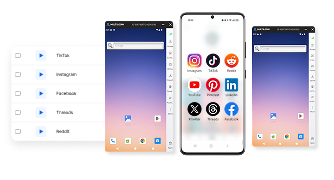
Manage multiple social profiles on real Android cloud phones with separate app data, IPs, locations, and built-in residential proxies.
Bypass geo-blocks with mobile proxy server
Reach different regions with real Android cloud phones and browser profiles. Match each profile with its own location and built-in residential proxy, or add your own proxies for more control.
Emulate real mobile users with mobile proxy IP
Use real Android cloud phones and built-in residential proxies to give each social profile its own device identity, IP, and location. Keep profiles separate and consistent while managing everything from one dashboard.
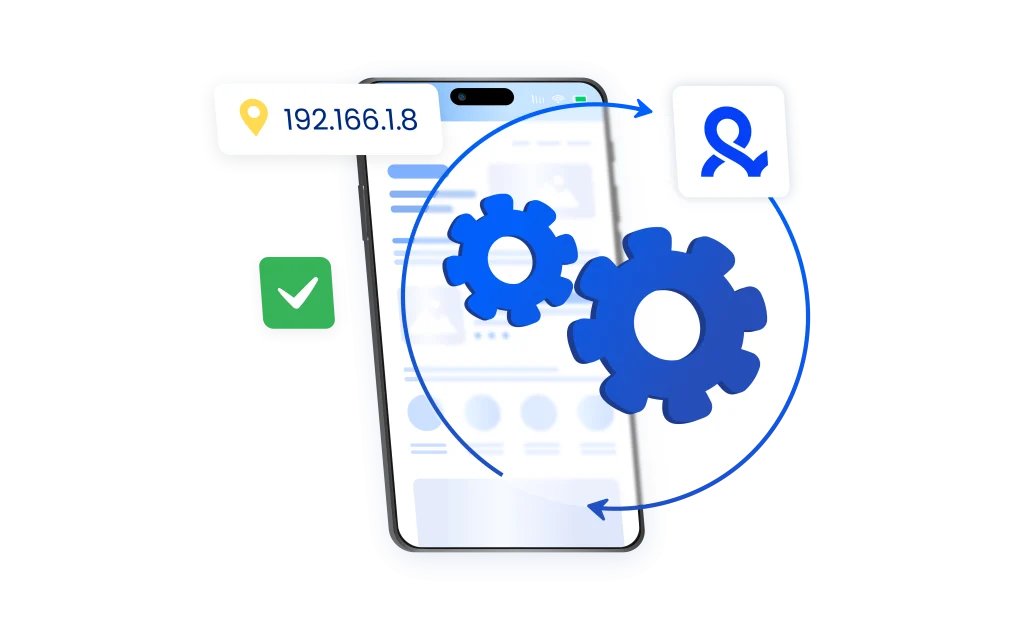
Grow your social media accounts with Multilogin cloud phones
Build account trust, reach any location, and boost your engagement
- Unlimited time
- Mobile and browser profiles included
- Free built-in proxies & mobile minutes
What is cloud phone?
A cloud phone lets you run multiple social media profiles — each on its own real Android device in the cloud, with separate app data, IP, location, and device identity.
Manage and grow accounts across mobile-first platforms from one dashboard, without switching between physical devices.
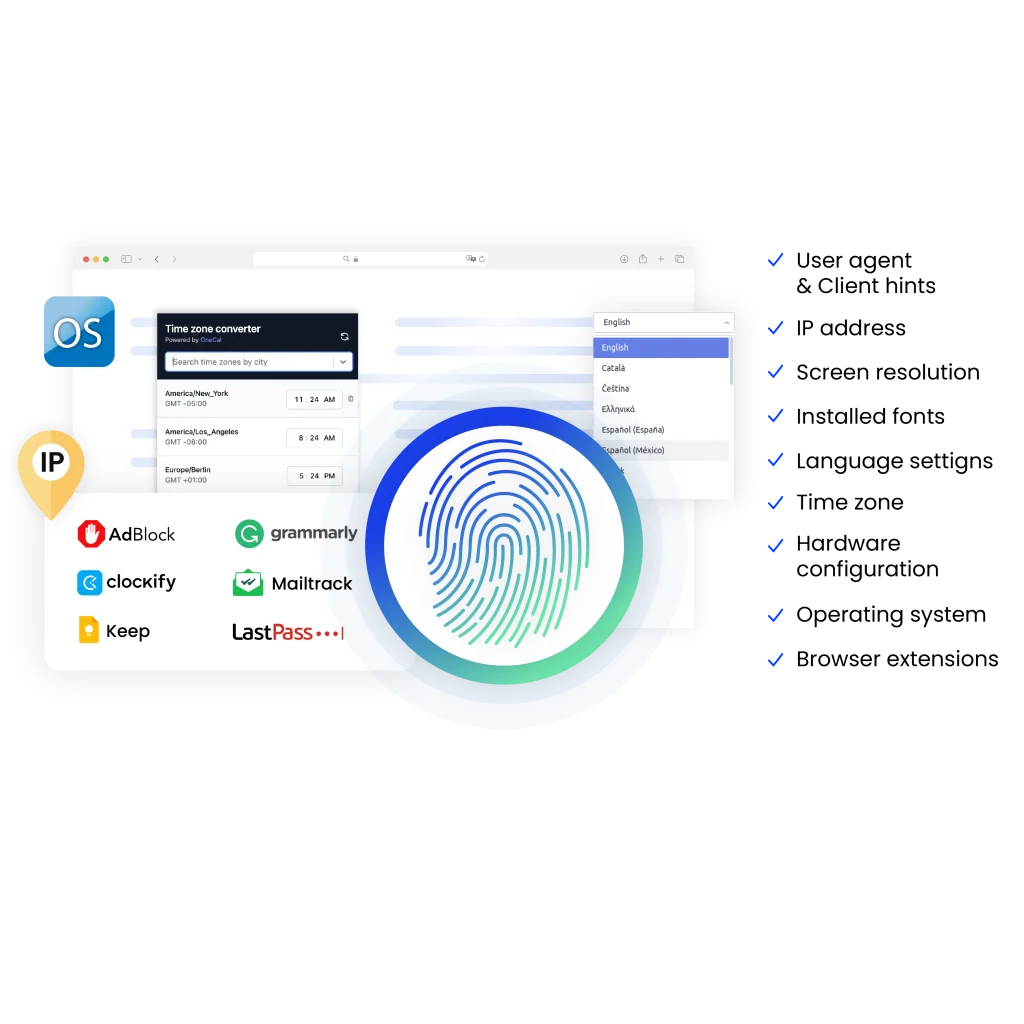
Why use cloud phones, browser profiles, and proxies from the same provider?
When device environments and proxies come from different providers, setup gets messy. Multilogin brings Android cloud phones, browser profiles, and built-in residential proxies into one platform — one dashboard, one setup, one support team.
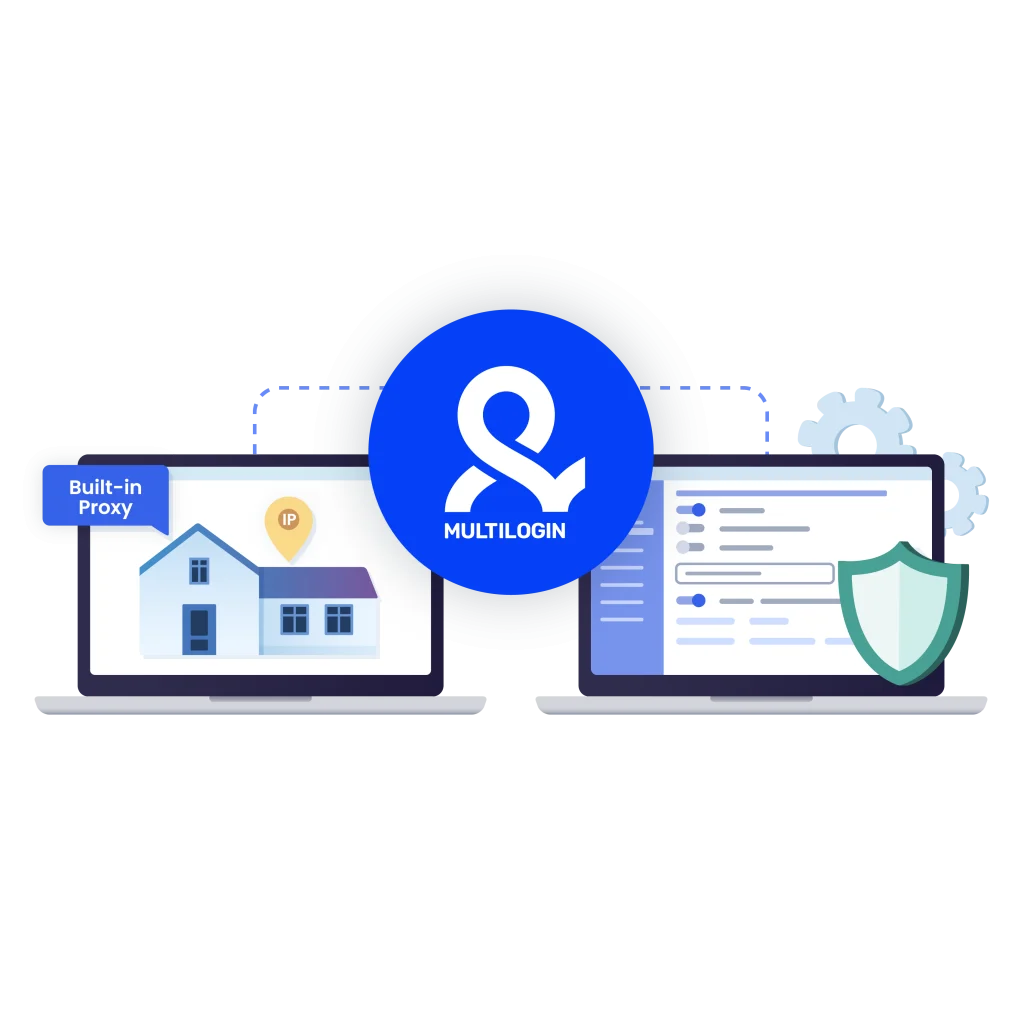
Ready to try Multilogin?
Get antidetect browser profiles and Android Cloud Phones in one platform.
Built for mobile proxies on desktop and cloud phones
Find proxies for other platforms and locations
- Ad spy proxies & antidetect browser
- Affiliate marketing proxies, web browser & cloud phones
- Amazon proxy
- Antidetect browser & proxies for Ad verification
- Argentina proxy
- Australia proxy
- Austria proxy
- Reddit proxy
- Brazil proxy
- Canada proxy
- Chicago proxy
- Chile proxy
- China proxy
- Czech proxy
- Denmark proxy
- Discord proxy
- eBay proxy
- Ecommerce proxy
- Egypt proxy
- Europe Proxy
- France proxy
- Germany proxy
- Gmail proxy
- Google proxy
- Greece proxy
- Hong Kong proxy
- Hungarian proxy
- Indonesia proxy
- Iran proxy
- Irish proxy
- ISP proxies
- Israel proxy
- Italy proxy
- Japan proxy
- Korea proxy
- LinkedIn proxy
- London proxy
- Los Angeles proxy
- Make Money Online
- France proxy
- India proxy
- Mexico proxy
- Netherlands proxy
- New York Proxy
- New Zealand proxy
- Oman proxy
- Online reputation management
- Online shopping proxies & cloud phone
- OnlyFans proxy
- Pakistan proxy
- Pinterest proxy
- Poland Proxy
- Portugal proxy
- Proxies for market research & cloud phone
- Proxies for price monitoring & cloud phone
- Proxies for Retrodrops
- Proxy browser with cloud phones
- Proxy Romania
- Rank tracker proxies & cloud phone
- Residential proxies
- Saudi Arabia proxy
- SEO proxies & antidetect browser
- SERP analysis with proxies & antidetect
- Shopee Proxy
- Singapore proxy
- Sneaker proxies & antidetect browser
- SOCKS5 proxy & multi-account browser
- Spain proxy
- Sweden proxy
- Switzerland proxy
- Taobao proxy
- Telegram proxy
- Thailand proxy
- Ticketmaster proxy
- Tinder proxy & antidetect bundle
- Tinder proxy
- Turkey Proxy & Multi-Account Browser in One Platform
- Twitter proxy
- France proxy
- UK proxy
- Ukraine proxy
- USA proxy
- Web Scraping Proxies & Multi-Account Browser
- Tiktok proxy
- WhatsApp proxy & cloud phone bundle
- Multilogin proxy
- Dropshipping and ecommerce
- Reddit proxy
- Instagram proxy
- Tiktok proxy
- Facebook proxy
- YouTube proxy
Run multiple accounts without getting blocked
Use Multilogin’s built-in residential proxies
Multilogin competitive advantages
-
Fast and intuitive interface
Everything at your fingertips: drag-and-drop, hotkeys, and smooth multitasking without losing speed.
-
Browser built for multi-accounting
Advanced engine effectively avoids multi-account detection by creating unique browser fingerprints.
-
Created for team collaboration
-
Proxies included in every plan
-
24/7 support in 5 languages
How to start using Multilogin
Start collecting data effortlessly with the industry leading cloud phone.
Sign up
Register using a verified email address.
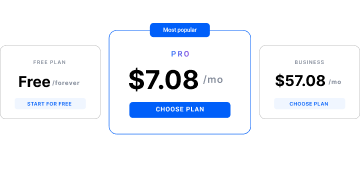
Choose your plan
Select from various subscription plans tailored to your business needs.
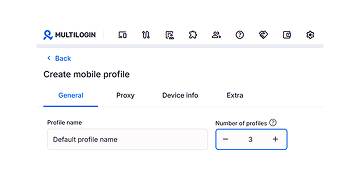
Manage your accounts using residential proxies
Set up multiple accounts while using residential proxies, ensuring secure browsing with distinct profiles.
Why people love Multilogin
-

A Good Cloud Phone for Account Management
Running a small team means I need control over who can access what, and Multilogin handles that well. The team access controls let me manage permissions without giving everyone the keys to every account. On top of that, the cloud phones keep everything isolated so one account issue doesn’t put the rest at risk. Solid choice for agencies managing multiple clients or accounts.
-

The best service for great ideas and big minds!
Always here for their clients, always ready to help out. I am using the service for 3-4-5 months now and brought me lots of great things 🙂 Hope to grow it on a larger scale and continue using the service …
-

Cloud phones make it easy to manage multiple TikTok accounts with AI agents
I use Multilogin to manage a bunch of AI agents running TikTok accounts for different countries. Since each agent needs its own account, I wanted an easy way to keep everything organized. Cloud phones make it super easy. Every account has its own phone, so I don’t have to buy or manage a bunch of real devices. I can see everything in one dashboard while the AI agents handle posting and the rest of the daily work.
-

Ideal for Social Media Management
I mainly use Multilogin for client social media management, and the cloud phones have been the biggest advantage for me. I can keep different clients in separate environments, leave their sessions running, and jump between accounts without constantly switching physical devices. It feels much more practical than trying to manage everything from a pile of phones.
-

Perfect browser for work, worth the money!
My overall experience with Multilogin has been excellent. I really like its intuitive dashboard, reliable customer support, and competitive pricing. It has become an essential part of my e-commerce business, and I highly recommend it to anyone looking for a dependable solution.
-

Safer accounts using Cloud Phones for social profiles
Running social profiles on cloud phones feels safer, everything is properly separated instead of relying on browser fingerprint tricks alone. Been running mine for a couple months with zero linking issues.
-

Efficient Account Management and Outstanding Support with Multilogin
Multilogin has been an excellent tool for managing multiple accounts efficiently. The setup was quick, and I was able to start using it right away with no learning curve. The interface feels just like Chrome, making it easy to navigate and work without interruption. Performance has been smooth, and browsing feels natural and responsive.
Watch the Multilogin Demo
Learn how Multilogin can boost your business. Check the video below to see its full capabilities in a short demo video.
Cloud Phones, Browser Profiles, and Residential Proxies: What You Need to Know
If your business manages multiple social media accounts across different platforms and regions, cloud phones, browser profiles, and built-in residential proxies can simplify the workflow. Each profile gets its own environment, IP, location, and session, while everything is managed from one dashboard.
What are residential proxies and how they work with cloud phones
Residential proxies give each profile its own IP and location, helping keep social media accounts separate and consistent across different regions.
With Multilogin, built-in residential proxies work directly with Android cloud phones and browser profiles. Each social profile runs in its own environment with separate app data, session, IP, and location — all managed from one dashboard.
Benefits of cloud phones, browser profiles, and residential proxies
Using Android cloud phones and built-in residential proxies gives you:
- Separate profile environments: Each social profile runs with its own app data, session, IP, and location.
- Easier multi-account management: Organize and manage multiple social profiles from one dashboard.
- Location control: Match profiles with different regions using built-in residential proxies.
- Persistent sessions: Keep login history, cookies, and app data saved between sessions.
- Mobile and web support: Use cloud phones for mobile-first platforms and browser profiles for web workflows.
Together, they give teams one platform for managing social profiles across mobile and web.
Advantages of using mobile proxies
Built-in residential proxies help keep each social profile consistent with its own IP and location. Combined with Multilogin cloud phones and browser profiles, they make multi-account workflows easier to organize and scale.
- Separate profile environments: Give each social profile its own IP, location, session, and device environment.
- Multi-region management: Run profiles across different locations and match each one with the right proxy region.
- Real mobile workflows: Use real Android cloud phones for TikTok, Instagram, Facebook, and other mobile-first platforms.
- Easier scaling: Manage multiple profiles, cloud phones, browser profiles, and proxies from one dashboard.
The risks of using free proxies
Free proxies may save money upfront, but they often come with weaker privacy, unstable connections, and inconsistent IP quality. Paid residential proxies are usually more reliable for long-term workflows.
Multilogin includes residential proxies with its cloud phones and browser profiles, so each social profile can run with its own IP, location, and persistent environment from one dashboard.
Mobile proxy: how it works
Mobile proxies route the internet traffic through mobile devices. This process allows users to appear like they are browsing the internet from a mobile network. Moreover, by mimicking real mobile users mobile proxy IPs help users to maintain anonymity and reduce the likelihood of detection.
Bypassing geo-restrictions with mobile proxy
Mobile proxies use IP addresses from various geographical regions. As a result, users can access specific content and services. Bypassing geo-restrictions can be useful for different individuals, for instance:
- Researchers: gathering data from various regions help them to enable comprehensive studies.
- Individuals with strict internet censorship: moreover, mobile proxies allow users to access blocked websites and services.
- Marketers: last, but not least, mobile proxy IP helps marketers to access regional trends and conduct research in multiple countries to optimize strategies.
What are 4G mobile proxies
A 4G mobile proxy server redirects traffic through mobile devices connected to specific mobile carriers. Moreover, these proxies provide a high level of online anonymity. In addition, 4G mobile proxies offer more reliability and trustworthiness. They are useful for activities like web scraping, social media management, ad verification, etc.
FAQ
Can I use mobile proxies with cloud phones?
Yes. Each cloud phone connects to its own mobile-grade residential proxy with precise geolocation. The proxy IP, GPS data, and network parameters all match — so platforms see a real mobile user in a real location, not a spoofed device.
How does billing work for cloud phones?
Cloud phones are billed by usage €0.009 per minute. The timer starts when you launch the device and stops when you press “Stop.” Unused minutes roll over monthly if your subscription stays active. Larger minute packages come with bigger discounts.
What is a mobile proxy?
A mobile proxy is a powerful tool that makes your browsing more convenient. It assigns a mobile IP address to your device, so for other websites it appears as if you are using a mobile data network. Moreover, mobile proxy masks your real IP address and helps you yo avoid geo-blocks.
Furthermore, you can import your proxies to an antidetect browser and ensure a higher level of privacy. Multilogin allows you to avoid IP bans and conduct web scraping more effectively.
What's the difference between using mobile proxies in browser profiles vs. cloud phones?
Browser profiles run with unique fingerprints and mobile IPs — great for speed and web-based work. Cloud phones run the actual Android OS on real hardware with genuine device IDs (IMEI, Android ID, MAC address). Use browser profiles for quick tasks. Use cloud phones when you need native mobile app behavior or want to avoid detection on mobile-first platforms.
How to use a mobile proxy server?
Using a mobile proxy server in a right way is essential to reduce the risks of detection. Here’s how you can use a mobile proxy server:
- Choose a reliable proxy server provider
- Set up your proxy connection
- Configure proxy settings
- Start using your mobile proxy server
Why use a cloud phone instead of a mobile emulator?
Emulators are easier to detect. Cloud phones run on real smartphone hardware with authentic device parameters — not simulated ones. Apps and platforms see them as genuine Android devices, which means fewer flags, fewer bans, and more stable sessions over time.
Where can I buy a mobile proxy?
You can buy a mobile proxy online from various providers, for instance BRight Data, Smartproxy and Soax. However, when choosing the right platform, you must consider several factors. Try to look for a provider that offers high-quality proxies, pay attention to the size of their proxy pool, IP rotation capabilities, etc.
Moreover, you can integrate these proxies with an antidetect browser. Multilogin helps you to bypass geo-restrictions and maintain anonymity. In addition, it offers built-in residential proxies.
What are benefits of mobile proxy IP?
Mobile proxy IP carries various benefits. Here are some of the main ones:
- Bypassing geo-restrictions
- Avoiding CAPTCHA and IP bans
- Mimicking real mobile user behavior
What are mobile proxies used for?
Since mobile proxies carry lots of advantages, people use them for various reasons. However, the primary purpose of a mobile proxy is to ensure online anonymity. As it assigns the user a mobile IP address, mobile proxies are ideal for tasks like market research, ad verification, web scraping. It enables you to avoid detection and gather data effortlessly.
Are mobile proxies detectable?
Due to their safety mechanisms, mobile proxies tend to be elusive to detection. However, when choosing the provider, you must make sure that they offer high-quality proxies. Considering main factors while selecting the right service is essential to avoid any challenges.
What is the main advantage of mobile proxies?
The primary advantage of mobile proxies is their ability to simulate real mobile user behavior, making online activities appear natural and undetectable. This reduces the risk of IP bans, CAPTCHA challenges, and geo-restrictions. Mobile proxies are ideal for tasks that require high anonymity and long-term, undetected usage. By combining mobile proxies with Multilogin’s antidetect browser, you can further enhance your anonymity while automating processes like data collection, account management, and scraping.
What are the main use cases for mobile proxies?
Mobile proxies are ideal for:
- Managing multiple accounts: Use them to securely manage social media, e-commerce, or ad accounts without getting flagged for suspicious activity.
- Web scraping: Reduce the risk of being detected or blocked when collecting data from websites.
- Bypassing geo-restrictions: Access content that is limited to specific regions by using IPs from different countries.
- Ad verification: Ensure ads are displayed properly across various locations without getting blocked.
- App testing: Simulate real user behavior on mobile apps for testing purposes. Multilogin provides mobile proxy integration for seamless use in automated tasks, making it easier to manage multiple accounts or collect data without detection.
How do mobile proxies work?
Mobile proxies assign your internet traffic to an IP address from a mobile network, simulating the behavior of a real mobile user. When using a mobile proxy, websites see the IP of a mobile carrier, not your actual IP. This method enhances anonymity and helps you avoid detection mechanisms like CAPTCHAs, IP bans, or geo-blocking. Multilogin allows you to seamlessly use mobile proxies along with its antidetect browser to ensure your browsing behavior appears natural and undetectable.