What a Brazil proxy server does
A Brazil proxy server routes your internet connection through an IP address located in Brazil. Instead of seeing your actual location, the websites you visit see a local Brazilian IP, so your connection reads as if you’re browsing from inside the country.
On its own, a Brazil IP only solves half the problem. Most platforms also read your browser’s fingerprint, things like language settings, screen resolution, timezone, and operating system, to build a picture of who’s connecting. If your IP says Brazil but the rest of your browser data doesn’t match, that mismatch is usually what gets an account flagged for review, not the proxy itself.
This is where pairing a Brazil proxy with Multilogin’s browser profiles makes a difference. Each profile carries its own consistent fingerprint alongside the proxy, so the IP and the browser data line up the way they would for a genuine local user. That combination is what lets teams open multiple accounts, run automated data collection, or test region-specific ads without one profile’s activity bleeding into another’s.
Multilogin’s built-in residential proxies cover Brazil along with 150+ other locations, already integrated into the platform, so there’s no separate proxy service to source or configure. You select a Brazil IP, launch a profile, and start working. You can test this on Multilogin’s free plan, which includes 5 profiles with no time limit and no credit card required.
Key benefits of using a Brazil proxy
- Access to Brazil-specific content. Some platforms and marketplaces show different pricing, products, or promotions depending on location. A Brazil proxy lets you see the version a local user would see, useful for checking listings, running ads, or reviewing region-locked content.
- Separate sessions for multiple accounts. Reusing the same IP across several accounts is one of the more common reasons platforms link them together. A Brazil proxy paired with a Multilogin profile gives each account its own IP and its own fingerprint, so accounts don’t overlap.
- Sticky sessions that hold for 24 hours. These proxies stay on the same IP unless you choose to rotate, which keeps long working sessions stable instead of resetting mid-task.
- Fewer mismatched-data triggers. A lot of verification checks and CAPTCHAs are triggered by an IP and browser fingerprint that don’t line up. Matching the two reduces how often that happens, though no setup removes verification checks entirely.
- Realistic local testing. Ad campaigns, search rankings, and competitor pages can look different depending on where the request originates. A Brazil IP lets you check what a Brazil-based visitor actually sees.
- Lower latency for Brazil-based platforms. A local IP generally means faster load times and fewer timeouts when working with Brazilian sites and services.
- A layer of connection privacy. Routing through a Brazil IP keeps your actual IP address out of the request, which is standard practice for research and localized testing work.
Why people use Brazil proxies
- Market research and competitor tracking. Seeing local pricing, content, and search results as a Brazil-based visitor would, without regional content filters getting in the way.
- Managing marketplace accounts. Selling on OLX or Mercado Livre with more than one account works better when each one runs on its own IP and profile, rather than sharing a single connection.
- Testing ad creatives for the Brazilian market. Checking how ads render, how landing pages load, and how delivery looks from inside the country.
- Tracking SEO performance in Brazil. Local search data reflects what Brazilian users actually see in rankings and SERP layout, which differs from results pulled outside the region.
- Running social media accounts. Teams managing more than one Brazilian social profile need each session to stay separate and stable, covered in more detail below.
- Web scraping. Collecting data from Brazilian sites tends to go more smoothly with residential IPs than with shared or overused ones.
- Region-limited drops and ticketing. Some sites restrict access by location, and a Brazil IP allows access to local queues or region-specific releases.
- Affiliate and partner dashboards. Platforms that only accept Brazilian traffic become accessible with a local IP in place.
Running social media accounts from Brazil
Social media platforms are particularly sensitive to accounts that look connected, shared devices, shared IPs, shared browser signatures. For agencies or marketers managing several Brazilian social accounts, that means each one needs its own consistent setup rather than a single browser juggling multiple logins.
A Brazil proxy paired with an isolated Multilogin profile gives each account its own IP and fingerprint. For teams handling client accounts specifically, role-based access also means team members can manage campaigns without everyone needing full account credentials.
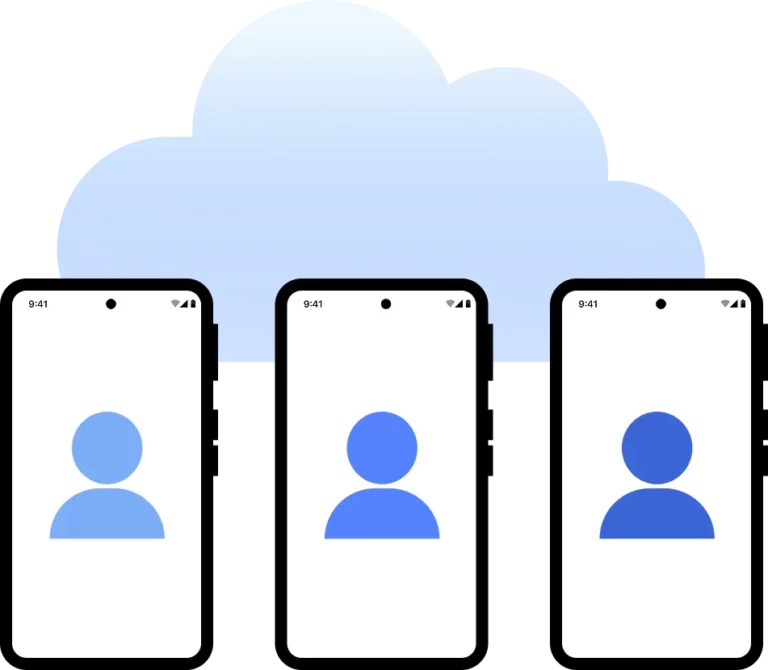
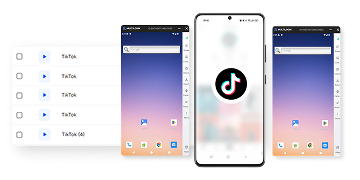
For mobile-first platforms, Cloud Phones extend this further. A Cloud Phone is a real cloud-hosted Android device, running actual Android 10 through 16, not a simulated environment. Pairing a Cloud Phone with a Brazil proxy gives a social account a genuine Android device with a matching local IP, managed remotely from the same dashboard as your browser profiles. That’s useful for platforms and apps built primarily for mobile use, where activity from an actual device carries more weight than activity from a desktop browser.
Multilogin features at a glance
- Built-in residential proxies across 150+ locations
- Browser profiles with fingerprints matched to your proxy location
- Cloud Phones running real Android 10 through 16
- Support for HTTP, HTTPS, and SOCKS5 proxies
- Integration with Selenium, Puppeteer, Playwright, Postman, and the Multilogin API
- 24-hour sticky sessions
- Cloud profile storage with cross-device sync
- Docker containerization support
- Team access with profile sharing and role-based permissions
- Fingerprint controls for OS, screen size, timezone, and WebGL
- Available on Windows, macOS, and Linux
Choosing between the free plan and paid plans
Free Brazil proxies from public lists tend to be shared across large numbers of users, which makes them slow, unstable, and prone to triggering verification checks. Paid residential proxies, and specifically ones built into the platform you’re already using, tend to hold up better for account management, scraping, or extended sessions.
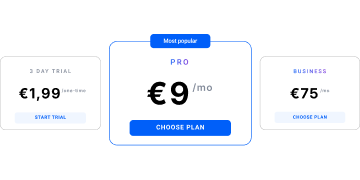
Multilogin’s free plan includes 5 profiles with built-in residential proxies, no time limit, and no credit card required, which is enough to test how a Brazil IP and a matched fingerprint work together before committing to anything. Teams that need more profiles can move to the Pro plan starting at $7.08, and agencies managing larger volumes can scale up to the Business plan, which supports 100 or more profiles.
Either way, the proxies are already integrated. There’s no separate sourcing, testing, or configuring a third-party IP before you can start a session.
Choosing the right Brazil proxy, if importing your own
If you’d rather use a third-party proxy instead of Multilogin’s built-in ones, a few things are worth checking before you buy:
- A genuinely residential IP pool, not a shared or public list
- Sticky sessions that hold for at least 24 hours
- Stable connection speeds with reasonable uptime
- Support for HTTPS and SOCKS5 protocols
- Location targeting down to specific Brazilian cities, if you need it
- Active customer support for when something breaks
Multilogin’s built-in Brazil residential proxies cover all of this without requiring a separate setup step.
Setting up a Brazil proxy in your browser
- Click “New profile” and choose an operating system
- Select the storage type and browser profile type
- Open the “Proxy” section
- Choose one of Multilogin’s built-in proxies, or import a third-party one
- Click “Check proxy” to confirm the connection
- Click “Create profile,” then “Launch” to start the session