







What is 911Proxy
911Proxy is a proxy provider that offers access to a large pool of residential IPs from over 190 countries. It is designed for tasks like web scraping, ad verification, and managing social media accounts by routing user traffic through real-device IP addresses.
- Direct proxy integration with portable browsers
- Dynamic IP rotation on demand
- Unlimited bandwidth with no expiration
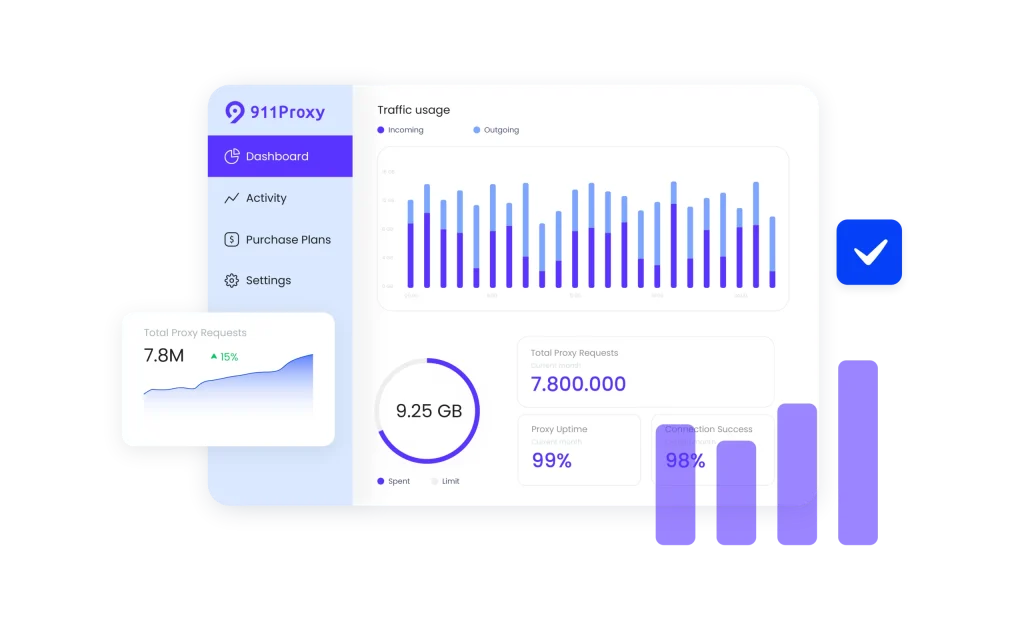
Why use 911 Proxy with a multi-account browser
Pairing 911 Proxy with multi-account browsers provides a robust framework for advanced digital operations, ensuring both high success rates and anonymity. This combination gives you the ability to build and manage a scalable, multi-account infrastructure that appears as genuine users to any platform you target.
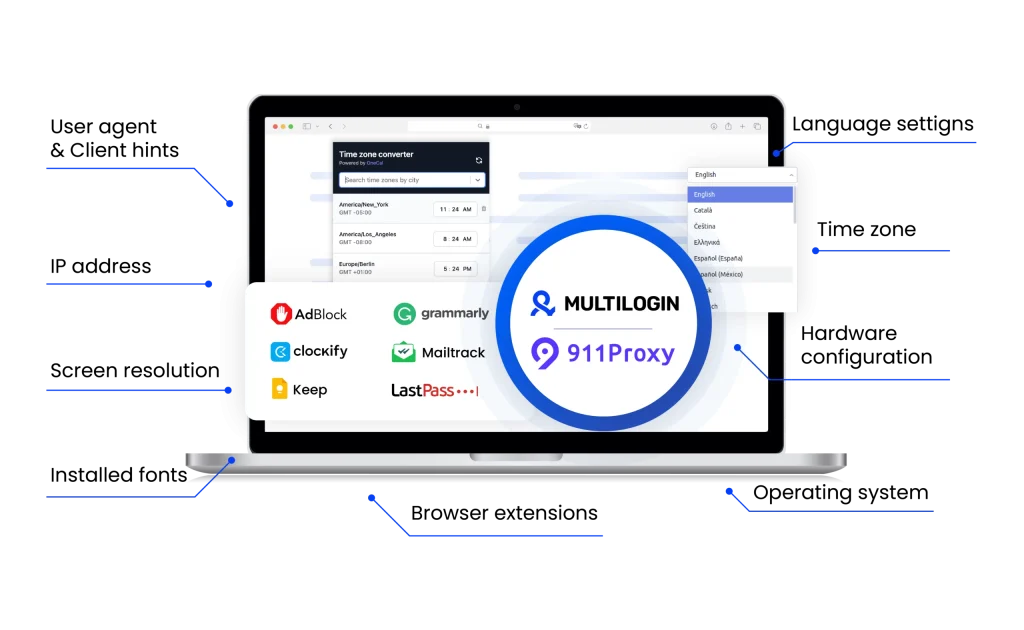
911Proxy unique benefits
Compare 911Proxy with an alternative
Compare features, functionality, and benefits to find the solution that fits your needs best.
-
Proxy provider
911Proxy

Oxylabs

-
Supported proxy types
911Proxy
Residential proxies
Web scraper API
Static datacenter proxies
Long-acting ISP proxiesOxylabs
Residential
ISP
Datacenter
Mobile
-
Starting price
911Proxy
10GB plan — $2.70/GB
60GB plan — $1.80/GB
120GB plan — $1.48/GB
350GB plan — $1.20/GB
1000GB plan — $0.88/GBOxylabs
Residential Proxies: from $8/GB
Datacenter Proxies: from $1.2/GB
ISP Proxies: from $1.60/IP
Mobile Proxies: from $9/GB -
Speed
911Proxy
—No dataOxylabs
Average response time of under 1 second
-
Success rate
911Proxy
99%
Oxylabs
97-99%
-
Size of IP pool
911Proxy
Residential proxies in 200+ countries and regions with over 200 million IP addresses
Oxylabs
102M+ IPs across 195 countries
-
Session control
911Proxy
Offers both manual rotating and sticky sessions
Oxylabs
Rotating and sticky sessions available
for up to 24 hours using the sesstime parameter -
Best for
911Proxy
Ad verification, web scraping, social media management.
Oxylabs
Businesses & individuals – large-scale scraping, SEO, automation, data extraction
Watch the Multilogin Demo
See how to run multiple accounts in just 2 minutes.
Watch the demo below and discover how Multilogin can streamline your workflow.
Why Multilogin is the perfect match for 911Proxy
Looking for all-in-one antidetect browser with built-in proxies?
Multilogin comes with built-in residential proxies to make multi-accounting, web scraping and web automation easier than ever. No extra setup, no third-party services—just undetectable browsing at no additional cost.
- Unlimited time
- Mobile and browser profiles included
- Free built-in proxies & mobile minutes
Discover more proxy providers
-
Read the review

- Read the review Review
-
Read the review

-
Read the review

-
Read the review

-
Read the review

-
Read the review

-
Read the review

-
Read the review

-
Read the review

-
Read the review

-
Read the review

-
Read the review

-
Read the review

-
Read the review

-
Read the review

-
Read the review

-
Read the review

-
Read the review

-
Read the review

-
Read the review

-
Read the review

-
Read the review

-
Read the review

-
Read the review

-
Read the review

-
Read the review

-
Read the review

- Read the review Cherry Proxy
- Read the review CLiproxy
-
Read the review

-
Read the review

-
Read the review

-
Read the review
-
Read the review

-
Read the review

-
Read the review

-
Read the review

-
Read the review

-
Read the review

-
Read the review

-
Read the review

-
Read the review

-
Read the review

-
Read the review

-
Read the review

-
Read the review

-
Read the review

-
Read the review

-
Read the review

-
Read the review

-
Read the review

-
Read the review

-
Read the review

-
Read the review

-
Read the review

-
Read the review

-
Read the review

-
Read the review
911Proxy: Everything You Need to Know in 2025
In the world of online business, staying anonymous and managing multiple accounts isn’t just a neat trick—it’s often a necessity. This is where residential proxies come in, and one name you’ll hear time and again is 911 Proxy. But what is 911 Proxy really about in 2025? How does it work, and more importantly, how can you pair it with powerful tools like Multilogin to build a truly professional setup? This guide will walk you through everything you need to know. We’ll cover what the service is today, where it shines, and give you a clear, step-by-step guide to getting it working seamlessly.
What is 911Proxy?
At its core, 911 Proxy is a massive residential proxy service, offering a network of over 200 million IPs from nearly every country you can think of. What makes it different from many other providers is its entire approach. Instead of a typical monthly subscription, you buy a package of proxies that are yours to use whenever you need them, with no expiration date.
Everything is managed through a dedicated desktop app, which gives you a very direct, hands-on level of control over your connections. It’s a unique model that offers a ton of flexibility. While many users love the freedom of a pay-as-you-go system, it’s always a good idea to do your own research to see if the performance and reliability match your specific needs.
The key benefits of 911Proxy: Why this model works
So, what’s the real appeal of the 911 Proxy model? It comes down to a few standout advantages that you won’t find with most subscription services.
- Buy once, use whenever: The biggest draw is the pricing. You purchase a set number of proxies, and they’re yours to keep. This is perfect for projects that don’t follow a predictable schedule, freeing you from the pressure of a recurring monthly bill.
- No data limits: Once an IP is yours, you can use as much data as you want. This is a huge plus for bandwidth-heavy tasks, like scraping media-rich websites or keeping accounts active around the clock, without worrying about overage fees.
- Control over specific apps: The desktop client lets you route the internet traffic of a single application through a proxy. This means you can have a browser in Germany, a bot in Brazil, and still do your day-to-day work on your regular connection, all at the same time.
- On-the-fly IP swapping: While many services automate IP rotation, the 911 client puts you in the driver’s seat. If you hit a block or just need a fresh start, you can instantly swap out your IP for a new one in the same area with a single click.
Top use cases of 911Proxy
This hands-on, location-specific approach makes 911 Proxy a great fit for a few specific jobs:
- Ad verification: For marketers, it’s crucial to see exactly what your customers see. 911 Proxy lets you check your ad campaigns from the perspective of a local user anywhere in the world, ensuring your ads are running correctly and reaching the right audience.
- Social media management: Juggling multiple social media accounts is tricky. By assigning a stable, residential IP to each profile, you can avoid triggering security alerts and keep your accounts looking like they’re managed by different, authentic individuals.
- E-commerce research: To truly understand a market, you need to shop like a local. 911 Proxy allows you to browse online stores from different countries to see real pricing, check product stock, and gather competitor insights without being blocked or fed misleading information.
Why Pair 911Proxy with Multilogin?
Multilogin is the industry standard for managing separate browser identities. It lets you create virtual browser profiles, each with its own unique digital fingerprint. When you combine this with 911 Proxy, you’re not just hiding your IP—you’re creating entirely new digital personas. Think of it this way: 911 Proxy is your mask, but Multilogin is the entire costume.
- Bulletproof profiles: Together, they make each of your accounts look like it’s being run by a different person, on a different computer, in a different home. This is the secret to managing multiple accounts without getting them linked and banned.
- Rock-solid anonymity: Multilogin creates a secure, isolated space for each browser session. By routing that session through a residential proxy, you build layers of privacy that protect your real identity from even the most advanced tracking.
- Effortless, stable sessions: Instead of fumbling with a separate proxy app, you plug the IP right into your Multilogin profile. From then on, every time you open that profile, it automatically connects through its assigned IP, giving you a consistent and reliable identity.
How to integrate 911Proxy with Multilogin: A simple guide
Getting 911 Proxy and Multilogin to talk to each other is simple, thanks to a feature called “port forwarding.” Here’s how to do it, step by step.
Step 1: Get the 911 Proxy Client Ready
- First, open the 911 Proxy client and get logged in.
- Head over to the “Settings” tab.
- Look for the “Proxy Port” section and set a range of ports. A good place to start is
5000to5010. This gives you 11 available slots, one for each profile you might want to run. - Finally, make sure the “Proxy Tool” option is set to “Other Proxy Tools.”
Step 2: Forward a Proxy to a Port
- Now, click on the “ProxyList” tab.
- Use the filters at the top to choose the country, state, or city you need an IP from.
- Find an IP you like in the list, right-click it, and select “Forward Port to Proxy.” Choose one of the ports you opened up, like
5000. - You can see your active, forwarded IPs in the “PortForwardList” at the bottom of the window.
Step 3: Set Up Your Multilogin Profile
- Open Multilogin and click “Create new” to start a fresh browser profile.
- In the settings for the new profile, click the “Proxy” tab.
- Change the connection type to SOCKS5.
- Now, type in the local host and port from the 911 client:
- Host:
127.0.0.1(this just means your own computer) - Port:
5000(or whichever port you chose)
- Host:
- You can leave the username and password fields blank.
- Click the “Check proxy” button. Multilogin will do a quick test, and if everything is working, it will show you the proxy’s IP address and location.
- With the proxy confirmed, finish setting up your profile, give it a name, and click “Create profile.”
That’s all there is to it. Now, when you launch this profile, it will automatically use the residential IP you assigned to it, giving you a clean, secure, and completely separate browsing environment. Just repeat the process for every new identity you need.
Final verdict
So, what’s the bottom line on 911 Proxy? The service is built on a genuinely unique and interesting model. The freedom of a pay-once system with no data caps is a powerful advantage, especially for anyone tired of juggling monthly subscriptions. When it’s running smoothly, the direct control you get from the desktop client offers a level of hands-on management that’s hard to find anywhere else. However, this flexibility comes with a trade-off. Community feedback is mixed, and some users report that performance can be unpredictable. This means you’re stepping into territory that requires a bit more self-navigation compared to mainstream, subscription-based providers. Our verdict is this: 911 Proxy is a specialized tool for users who value its unique pricing and app-tunneling features above all else. If you have a specific task, aren’t afraid to get your hands dirty, and want to avoid recurring fees, it could be a great, cost-effective solution. But for mission-critical business operations where you need guaranteed uptime and flawless reliability, you might feel more comfortable with a more established, traditional provider. Ultimately, it comes down to your personal workflow and what you value most in a tool.
FAQ
What is 911Proxy?
911Proxy is a premium proxy service provider offering residential, data-center, static, and ISP proxies, along with a Web Scraper API.
What makes 911Proxy different from other proxy providers?
Key differentiators include:
- A large IP pool (90M+ IPs across 195+ countries)
- Support for HTTP and SOCKS5 protocols
- High network uptime (99.5%)
- Flexible billing (bandwidth-based, per IP, etc.)
- Developer-friendly API, code samples, and dashboard for configuration
Which proxy types does 911Proxy offer?
The main offerings are:
- Residential proxies (rotating)
- Unlimited residential proxies
- Static residential proxies
- Data center proxies
- Long-acting ISP proxies (hybrid of ISP & data center advantages)
- Web Scraper API (proxy + scraping service)
What are common use cases for 911Proxy?
Typical use cases include:
- Web data scraping / crawling
- Market research
- Brand protection / anti-counterfeiting
- Ad verification
- SEO monitoring
- Social media and analytics tasks
How does 911Proxy compare to providers like Bright Data or Smartproxy?
Bright Data and Smartproxy are popular choices, but they often come with higher costs or limited flexibility. 911Proxy offers a larger IP pool, advanced targeting options, and more affordable pricing, making it a strong alternative for both small and large-scale projects