







What is LumiProxy
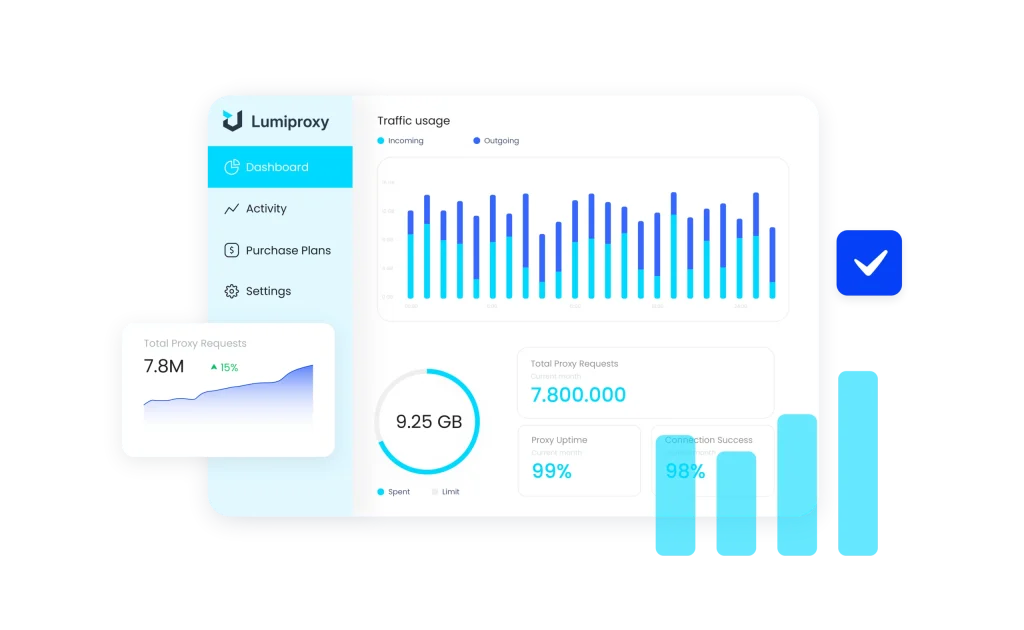
LumiProxy is a proxy provider that offers residential proxy services, enabling users to route their internet traffic through a vast network of IP addresses from real devices around the world. This allows for anonymous and reliable web data collection, bypassing geo-restrictions and blocks.
- Ethically sourced, high-anonymity proxies
- Seamless integration and developer-friendly API
- High-speed and stable connections
Why use LumiProxy with an antidetect browser?
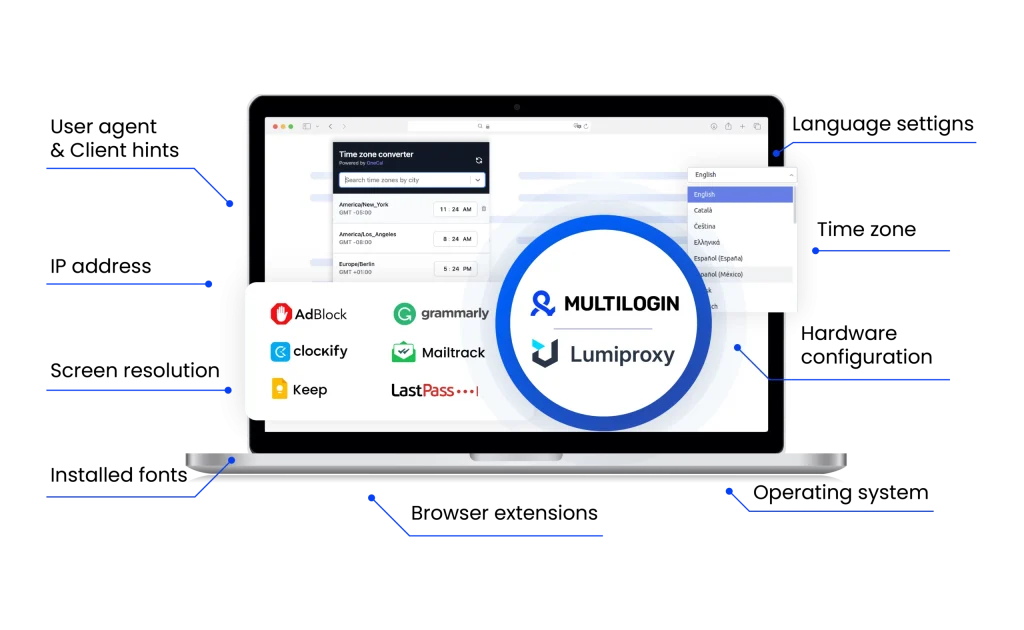
Pairing LumiProxy’s proxies with antidetect browsers provides a robust framework for advanced digital operations, ensuring both high success rates and anonymity. This combination gives you the ability to build and manage a scalable, multi-account infrastructure that appears as genuine users to any platform you target.
Lumiproxy unique benefits
Compare LumiProxy with an alternative
Compare features, functionality, and benefits to find the solution that fits your needs best.
-
Proxy provider
LumiProxy

Oxylabs

-
Supported proxy types
LumiProxy
Rotating Residential Proxies
Static Residential Proxies (ISP Proxies)
Static Datacenter ProxiesOxylabs
Residential
ISP
Datacenter
Mobile
-
Starting price
LumiProxy
Static Datacenter Proxies: from $4.20/IP
Static Residential Proxies: from $6.00/IP
Rotating Residential Proxies: from $0.80/GB
Unlimited Residential Proxies: from $68.80/Day
Oxylabs
Residential Proxies: from $8/GB
Datacenter Proxies: from $1.2/GB
ISP Proxies: from $1.60/IP
Mobile Proxies: from $9/GB -
Speed
LumiProxy
∼0.6s response time
Oxylabs
Average response time of under 1 second
-
Success rate
LumiProxy
∼99.5% success rates
Oxylabs
97-99%
-
Size of IP pool
LumiProxy
90M+ residential IPs
Oxylabs
102M+ IPs across 195 countries
-
Session control
LumiProxy
Offers both rotating and static sessions
Oxylabs
Rotating and sticky sessions available
for up to 24 hours using the sesstime parameter -
Best for
LumiProxy
Social media management, market research and ad verification.
Oxylabs
Businesses & individuals – large-scale scraping, SEO, automation, data extraction
Watch the Multilogin Demo
See how to run multiple accounts in just 2 minutes.
Watch the demo below and discover how Multilogin can streamline your workflow.
Why Multilogin is the perfect match for LumiProxy
Looking for all-in-one antidetect browser with built-in proxies?
Multilogin comes with built-in residential proxies to make multi-accounting, web scraping and web automation easier than ever. No extra setup, no third-party services—just undetectable browsing at no additional cost.
- Unlimited time
- Mobile and browser profiles included
- Free built-in proxies & mobile minutes
Discover more proxy providers
-
Read the review

- Read the review Review
-
Read the review

-
Read the review

-
Read the review

-
Read the review

-
Read the review

-
Read the review

-
Read the review

-
Read the review

-
Read the review

-
Read the review

-
Read the review

-
Read the review

-
Read the review

-
Read the review

-
Read the review

-
Read the review

-
Read the review

-
Read the review

-
Read the review

-
Read the review

-
Read the review

-
Read the review

-
Read the review

-
Read the review

-
Read the review

-
Read the review

- Read the review Cherry Proxy
- Read the review CLiproxy
-
Read the review

-
Read the review

-
Read the review

-
Read the review
-
Read the review

-
Read the review

-
Read the review

-
Read the review

-
Read the review

-
Read the review

-
Read the review

-
Read the review

-
Read the review

-
Read the review

-
Read the review

-
Read the review

-
Read the review

-
Read the review

-
Read the review

-
Read the review

-
Read the review

-
Read the review

-
Read the review

-
Read the review

-
Read the review

-
Read the review

-
Read the review

-
Read the review

-
Read the review
Is LumiProxy worth it in 2025? Full Review, Pros, and Best Use Cases
Ever had your SEO tool grind to a halt because your proxy got blocked? Or spent time trying to view a page in another country, only to hit a dead end? Unreliable proxies cost you time, money, and headaches. LumiProxy solves this by offering real home-based IPs and super-fast server IPs—so you can browse as if you were sitting in any city you choose, without interruptions.
What Is LumiProxy?
Founded in 2019 and headquartered in London, UK, LumiProxy is a unified proxy service offering two main options:
- Residential proxies
IPs sourced from real people’s homes. Websites treat you like a genuine user.- Rotating mode: Automatically change your IP with each request.
- Sticky sessions: Retain the same IP throughout a full login or task.
- Datacenter proxies
Server-based IPs designed for maximum speed when you don’t need residential cover.
By blending residential and datacenter options in one platform, LumiProxy lets you choose the best tool for every job—without juggling multiple providers.
The best part? You can choose if you want your IP to change with every request (rotating) or stay the same (static). This makes it a solid tool for running multiple ad accounts without getting them flagged.
Key Benefits of LumiProxy
- Vast global network
Over 90 million IPs in 190+ countries, down to city-level precision. - Pinpoint geo-targeting
Select country, region, or city. See your site or ads exactly as locals do. - Fair pay-as-you-go pricing
Purchase data by the gigabyte—credits never expire. No large monthly commitments. - Rock-solid uptime & speed
99.9% uptime and page loads under two seconds in major markets. - Intuitive dashboard & support
Manage proxies, monitor usage, and rotate IPs with a few clicks. Fast, helpful customer service when you need it.
Top Ways to Use LumiProxy
- SEO rank tracking
Obtain unbiased search results from any location—no regional blind spots. - Ad verification
Confirm your ads display correctly in every market you target. - Multi-account management
Run multiple social or e-commerce accounts—each with its own IP—to avoid bans. - Web scraping & data collection
Gather prices, reviews, or listings at scale without getting blocked. - Brand protection
Monitor for counterfeit or unauthorized listings from specific areas.
Why combine LumiProxy with an antidetect browser like Multilogin
Supercharge with Multilogin
Multilogin creates separate browser profiles—each with its own cookies, settings, and device fingerprints. But if all profiles share the same IP, sites can still link them. Pairing Multilogin with LumiProxy gives you:
- Complete Separation
Every browser profile runs through a different IP, making each look like a unique user in a unique location. - Traffic Saver
Multilogin’s free proxy traffic saver reuses connections efficiently, stretching your LumiProxy data and saving you money. - Smooth Sticky Sessions
Maintain the same IP throughout login sessions, just like a real user. - One-Click Rotation
Swap to a fresh IP between sessions to stay ahead of blocks.
Together, they let you manage dozens of accounts without risking bans or link-ups.
This is where you pair LumiProxy with a tool like Multilogin.
- Multilogin creates different browser profiles, each with its own unique fingerprint. It’s like having a dozen different computers in one.
- LumiProxy gives each of those profiles its own clean, static residential IP.
When you put them together, each account looks like it’s being run by a different person on a different computer in a different place. It’s the best way to keep your client accounts safe and separate.
Quick Setup: LumiProxy in Multilogin (6 Steps)
- Copy your LumiProxy credentials: In the LumiProxy dashboard, note your host, port, username, and password.
- Open Multilogin: Create—or choose—a browser profile.
- Enable Proxy: In the profile’s Settings, turn on Proxy and select Custom.
- Enter LumiProxy details: Paste in your host, port, username, and password.
- Activate traffic saver: Enable Multilogin’s Proxy Traffic Saver to reduce data usage.
- Save & launch: Open the profile—each window now uses its own real IP and saves data.
Final verdict: Is LumiProxy worth it?
LumiProxy delivers a massive, authentic IP network and high-speed datacenter proxies under a fair, pay-as-you-go plan. It’s perfect for professionals needing reliable, location-accurate browsing—whether you’re tracking SEO, verifying ads, or juggling multiple accounts. When you combine it with Multilogin, you gain full control over both browser identity and network identity, plus built-in data savings. If you’re ready to say goodbye to proxy headaches, give LumiProxy and Multilogin a try—your future workflows (and your budget) will thank you.
FAQ
What proxy types does LumiProxy offer?
LumiProxy provides residential proxies (IPs from real home or mobile devices) and datacenter proxies (IPs from server farms). Residential proxies can rotate per request or remain “sticky” for a session, while datacenter proxies deliver higher speeds when anonymity isn’t required.
How extensive is the Lumiproxy's IP pool?
With over 90 million IP addresses across 190+ countries, you can select proxies by country, region, or city. This level of geo-targeting lets you simulate traffic from virtually any location.
How does the Lumiproxy's pricing work?
LumiProxy uses a pay-as-you-go model, billing by gigabyte of data used. Credits never expire, and you can purchase additional bandwidth at any time. For heavy usage, daily or monthly packages are also available.
What performance can I expect from LumiProxy?
Average page-load times are under 2 seconds in major markets, with 99.9% uptime. Datacenter proxies offer ultra-low latency, while residential proxies maintain strong connectivity and lower block rates.
Can I use LumiProxy with Multilogin?
- Retrieve your LumiProxy host, port, username, and password.
- Open Multilogin and select a browser profile.
- Enable Proxy in the profile settings and choose Custom / Luminati.
- Enter the LumiProxy credentials and save.
- Launch the profile—each browser instance now uses its own residential IP.
How do I integrate Lumi Proxy with Multilogin?
Yes, integration is a breeze. Copy your LumiProxy proxy details into each Multilogin profile’s proxy settings, test the connection, and you’re ready to go.
How do I integrate Lumi Proxy Web with Multilogin?
Yes, integration is a breeze. Copy your LumiProxy proxy details into each Multilogin profile’s proxy settings, test the connection, and you’re ready to go