







What is Oculus Proxies
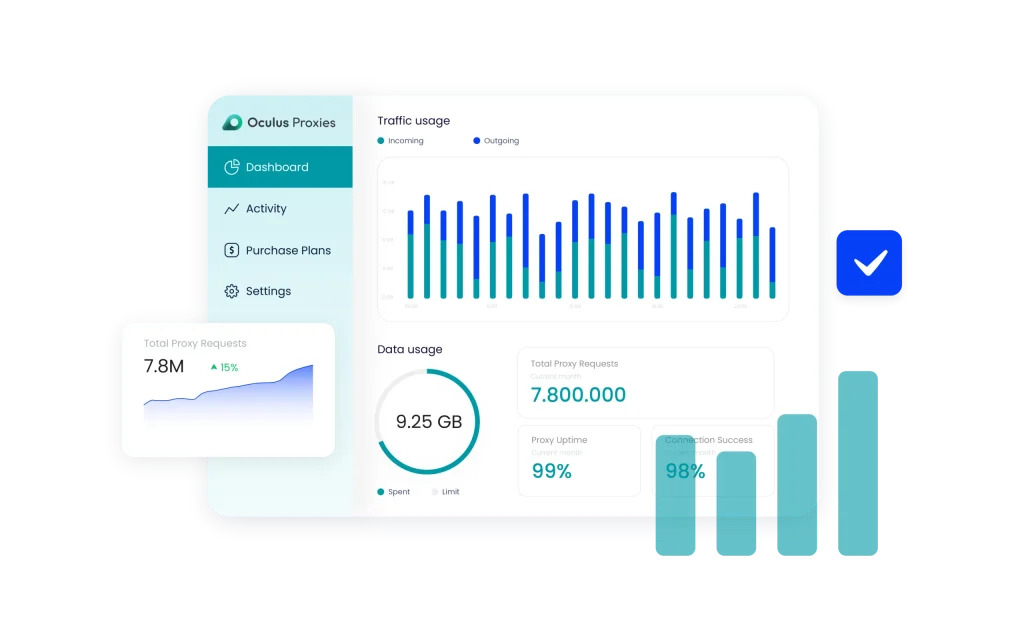
Oculus Proxies is a trusted provider of ISP, residential, and datacenter proxies, known for speed, zero downtime, and 100GBPS dedicated servers.Trusted by over 70,000 users worldwide, Oculus offers reliable static residential and datacenter proxies—perfect for scraping, ad verification, social media, and SEO tasks.
With servers in 195+ countries, it ensures smooth, undetected access wherever you need it, with no KYC and a simple dashboard, getting started is fast and easy.
Key offerings:
- Secure SOCKS5 Support
- Flat rate prices
- Free proxy tester tool
- Network of over 300,000 IP addresses
Why use Oculus Proxies with an antidetect browser
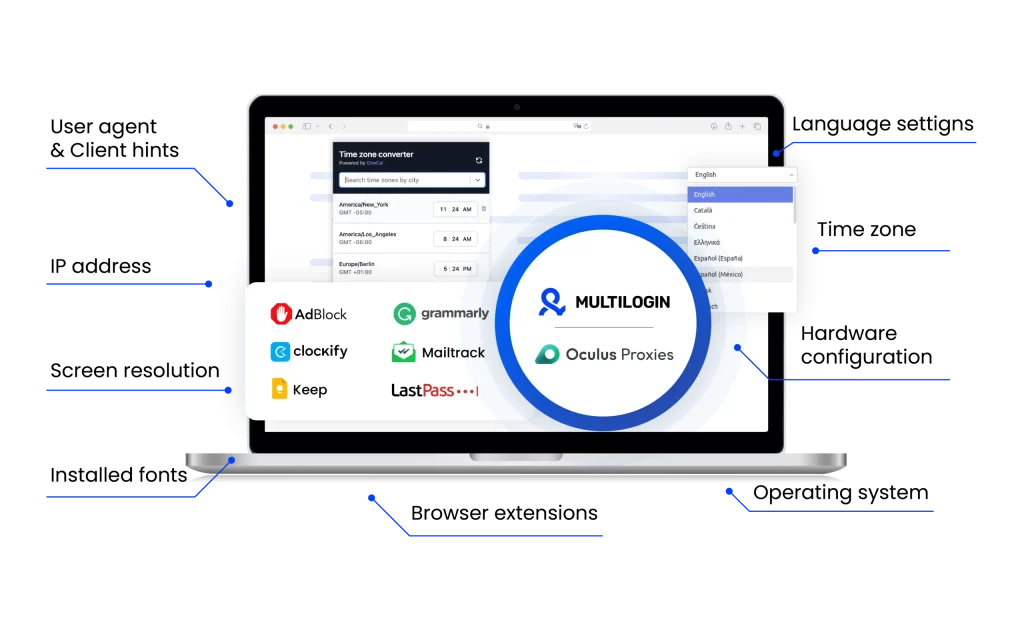
Combining Oculus Proxies with a multi-account browser gives you the privacy and reliability needed to manage multiple accounts without getting flagged.
With Oculus Proxies and Multilogin, you get a stable, privacy-focused setup that’s ideal for ad verification, scraping, social media, and automation, powered by 100GBPS servers and zero downtime across 195+ countries.
Oculus Proxies unique benefits
Compare Oculus Proxies with an alternative
Compare features, functionality, and benefits to find the solution that fits your needs best.
-
Proxy provider
Oculus Proxies

Oxylabs

-
Supported proxy types
Oculus Proxies
Datacenter (Shared, Dedicated),
ISP
Residential
Events & E-commerce
Oxylabs
Residential
ISP
Datacenter
Mobile
-
Starting price
Oculus Proxies
Shared Datacenter: $0.1/GB
Dedicated Datacenter: $0.50/IP
ISP Proxies: $0.50/GB
ISP Premium: $0.75/IP
Events & E-commerce: $0.57/IP
Rotating Residential: $1/GB
Sneakers Residential: $0.85/GB
Tickets Residential: $0.90/GBOxylabs
Residential Proxies: from $8/GB
Datacenter Proxies: from $1.2/GB
ISP Proxies: from $1.60/IP
Mobile Proxies: from $9/GB -
Speed
Oculus Proxies
Not publicly specified
Oxylabs
Average response time of under 1 second
-
Success rate
Oculus Proxies
Data is not publicly disclosed
Oxylabs
97-99%
-
Size of IP pool
Oculus Proxies
Residential proxies in 195+ countries; specific IP pool size not publicly disclosed
Oxylabs
102M+ IPs across 195 countries
-
Session control
Oculus Proxies
Offers both rotating and sticky sessions
Oxylabs
Rotating and sticky sessions available
for up to 24 hours using the sesstime parameter -
Best for
Oculus Proxies
Ad verification, data scraping, social media management, price monitoring, SEO & SERP tracking
Oxylabs
Businesses & individuals – large-scale scraping, SEO, automation, data extraction
Watch the Multilogin Demo
See how to run multiple accounts in just 2 minutes.
Watch the demo below and discover how Multilogin can streamline your workflow.
Why Multilogin is the perfect match for Oculus Proxies
Looking for all-in-one antidetect browser with built-in proxies?
Multilogin comes with built-in residential proxies to make multi-accounting, web scraping and web automation easier than ever. No extra setup, no third-party services—just undetectable browsing at no additional cost.
- Unlimited time
- Mobile and browser profiles included
- Free built-in proxies & mobile minutes
Discover more proxy providers
-
Read the review

- Read the review Review
-
Read the review

-
Read the review

-
Read the review

-
Read the review

-
Read the review

-
Read the review

-
Read the review

-
Read the review

-
Read the review

-
Read the review

-
Read the review

-
Read the review

-
Read the review

-
Read the review

-
Read the review

-
Read the review

-
Read the review

-
Read the review

-
Read the review

-
Read the review

-
Read the review

-
Read the review

-
Read the review

-
Read the review

-
Read the review

-
Read the review

-
Read the review

- Read the review Cherry Proxy
- Read the review CLiproxy
-
Read the review

-
Read the review

-
Read the review
-
Read the review

-
Read the review

-
Read the review

-
Read the review

-
Read the review

-
Read the review

-
Read the review

-
Read the review

-
Read the review

-
Read the review

-
Read the review

-
Read the review

-
Read the review

-
Read the review

-
Read the review
-
Read the review

-
Read the review

-
Read the review

-
Read the review

-
Read the review

-
Read the review

-
Read the review

-
Read the review

-
Read the review

-
Read the review
Oculus proxies review: Everything you need to know in 2025
Searching for the perfect proxies for your use case? What matters most to you—pricing, security, sticky sessions, zero downtime, or reliable performance at scale? This time, we decided to take a closer look at proxy providers and understand what makes one stand out in a crowded market. With so many options out there, choosing the right one can be tricky. That’s why we’re reviewing Oculus Proxies—a name that’s been gaining attention in 2026. One thing that caught our attention right away was the variety of proxy types Oculus Proxies offers. From shared and dedicated datacenter proxies to ISP, premium ISP, and rotating residential options—it’s clear they aim to cover a wide range of use cases. But the real question is: does this variety make Oculus a clear winner in the proxy space—or just another name in a crowded field? In this review, we’ll dig into the details—from features and pricing to session control and performance—to help you decide if Oculus Proxies is the right fit for your setup in 2025.
How to use Oculus Proxies with Multilogin?
If you’re managing multiple accounts and want a smoother, safer experience online, pairing Oculus Proxies with Multilogin might be your next best move. Whether you’re scraping data, running ad campaigns, or juggling client profiles—this setup helps you stay under the radar and avoid bans. Here’s how to get everything working in just a few steps:
Step 1: Get Your Oculus Proxy Details
- Log in to your Oculus Proxies dashboard.
Navigate to the section that lists your purchased proxies.
Copy your proxy IP, port, and any authentication details (username/password or whitelisted IP).
Step 2: Create a Browser Profile in Multilogin
- Open up Multilogin and click on “Create new” under the browser profiles.
- Pick the browser type and operating system that fits your setup.
Step 3: Add Your Oculus Proxy to the Profile
- Scroll down to the Proxy section in the profile settings.
- Choose “Custom”, select the type of proxy you’re using (HTTP, HTTPS, or SOCKS5), and paste in the details from Oculus.
Step 4: Test the Connection
- Click “Check proxy”—this confirms everything is working correctly and ensures a stable connection.
Step 5: Save It and Start Browsing Safely
Once it’s all good, hit save. That’s it—you’re ready to start managing your online tasks securely with Oculus Proxies and Multilogin.
Oculus Proxies: How to use It for Multi-Account Management?
The most important part of managing multiple accounts? Reliable proxy support. Without it, you’re opening the door to bans, restrictions, and a whole lot of headaches. That’s why it’s worth thinking twice before choosing your setup.
If your day-to-day includes managing social media accounts, ad platforms, or eCommerce dashboards, you know how easy it is to get flagged. Running multiple profiles can feel like walking a tightrope—one wrong move and you’re locked out. Oculus Proxies helps reduce that risk by giving each account a clean, stable IP address. And when paired with an multi-account browser like Multilogin, you’ve got a setup that keeps your accounts separate and secure, so you can focus on getting work done, not getting blocked.
Oculus Proxies: How to use it with Multilogin to stay undetected online
As platforms get better at detecting fake traffic and linked accounts, pairing Oculus Proxies with Multilogin gives you a powerful edge. With over 300,000 IPs across 195+ countries, Oculus offers reliable ISP, residential, and datacenter proxies—all supporting secure SOCKS5 connections.
Multilogin creates unique browser profiles, while Oculus provides stable IPs tailored to your location. Together, they help you avoid bans, stay anonymous, and run multiple accounts smoothly. Plus, with the free Proxy Tester Tool, you can check your IPs before starting—saving time and preventing disruptions.
Notable features of Oculus Proxies
Oculus Proxies makes it easy for new users to get started—just sign up with Google and instantly receive 5 free proxies, no credit card required. What also stands out is their focus on privacy and ethics: all proxies are ethically sourced and fully CCPA & GDPR compliant, so you can browse, scrape, or automate with peace of mind.
Oculus Proxies: Setup and download
Setting up Oculus Proxies takes just a few minutes—even if you’re new to proxies. With a user-friendly dashboard and clear setup instructions, you’ll be ready to run proxies with Multilogin in no time.
Here’s how to start:
- Sign up for an Oculus Proxies account
- Choose your preferred proxy type (Datacenter, ISP, Residential, etc.)
- Access your proxy list directly from the dashboard
- Integrate the proxies into Multilogin and start browsing securely
Use Oculus Proxies and Multilogin to stay undetected online
When paired with Multilogin, Oculus Proxies helps you stay under the radar—making it harder for platforms to track you through fingerprinting or IP detection. This setup is perfect for affiliate marketers, researchers, ad verifiers, and anyone managing multiple accounts who needs consistency and privacy.
Key advantages:
- Seamless integration with Multilogin and other multi account browsers
- Supports HTTP, HTTPS, and secure SOCKS5 protocols
- Allows session control, IP rotation, and geolocation targeting based on your use case
FAQ
What kind of proxies can you get from Oculus Proxies?
Oculus Proxies provides a diverse range of proxy solutions tailored to various needs:
- Shared Datacenter Proxies: Cost-effective proxies suitable for general tasks. Priced from $0.10/GB.
- Dedicated Datacenter Proxies: Exclusive IPs offering enhanced privacy and performance. Starting at $0.50/IP.
- ISP Proxies: High-speed residential-like IPs ideal for accessing geo-restricted content. Priced from $0.50/GB.
- Premium ISP Proxies: U.S.-based dedicated ISP proxies optimized for platforms like Google and social media. Starting at $0.75/IP.
- Events & E-commerce Proxies: Designed for seamless access to event ticketing and e-commerce platforms. Priced from $0.57/IP.
- Rotating Residential Proxies: Real residential IPs with automatic rotation, suitable for data scraping. Starting at $1/GB.
- Sneakers Residential Proxies: Optimized for sneaker botting tasks on release days. Priced from $0.85/GB.
- Tickets Residential Proxies: Tailored for purchasing tickets from platforms with strict protection mechanisms. Starting at $0.90/GB.
Which proxy should I choose from Oculus Proxies?
Your selection depends on your specific use case:
- General Browsing & Automation: Shared or Dedicated Datacenter Proxies.
- Accessing Geo-Restricted Content: ISP or Premium ISP Proxies.
- Event Ticketing & E-commerce: Events & E-commerce Proxies.
- Data Scraping: Rotating Residential Proxies.
Sneaker Releases: Sneakers Residential Proxies. - Ticket Purchasing: Tickets Residential Proxies.
With Multilogin, Oculus Proxies can be configured directly within browser profiles.
How do I use Oculus Proxies with Multilogin?
To integrate Oculus Proxies with Multilogin:
- Log in to your Oculus Proxies dashboard and obtain your proxy credentials.
- In Multilogin, create or edit a browser profile.
- Navigate to the “Proxy” section and input your Oculus proxy details.
- Test the connection to ensure it’s working correctly.
Do Oculus Proxies support sticky or rotating sessions—and how does that work with Multilogin?
Yes, Oculus Proxies support both sticky and rotating sessions depending on the proxy type you choose. For example, ISP and residential proxies can offer stable sticky sessions, while rotating residential options refresh IPs at intervals.
When you use them with Multilogin, you get even more control. Multilogin lets you create browser profiles with real sticky sessions—meaning your IP and browser fingerprint stay consistent throughout a session, which is key for logging into accounts or automating actions without getting flagged. Just plug in your Oculus proxy, select the right settings in Multilogin, and you’re ready to go with a stable, undetectable session.
How reliable are Oculus Proxies?
Oculus Proxies are known for their high reliability, featuring:
100 GBPS dedicated servers ensuring fast and stable connections.
Can I test my Oculus proxies before use?
Absolutely. Oculus Proxies provides a built-in proxy tester tool within the user dashboard, allowing you to verify the functionality of your proxies instantly.
What support options are available for Oculus Proxies?
Oculus Proxies offers customer support through:
- Email Support: Reach out via their official contact email.
- Discord Server: Join their community for real-time assistance and updates.