







What is NSOCKS.net
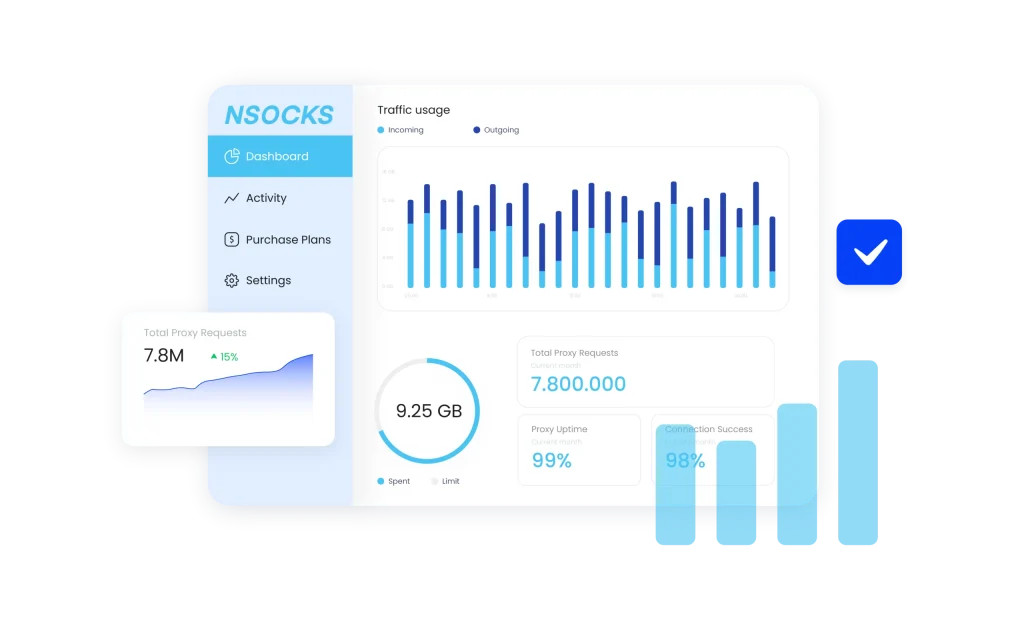
NSOCKS.net is a residential proxy service that provides access to real-device IPs managed through a desktop application. It operates on a pay-per-proxy model where IPs don’t expire, allowing users to perform detailed geo-targeting and tunnel specific applications through its SOCKS5 network.
- Pay-per-proxy balance
- Client-based IP control
- Hyper-local targeting
Why use NSOCKS.net with a multi-account browser
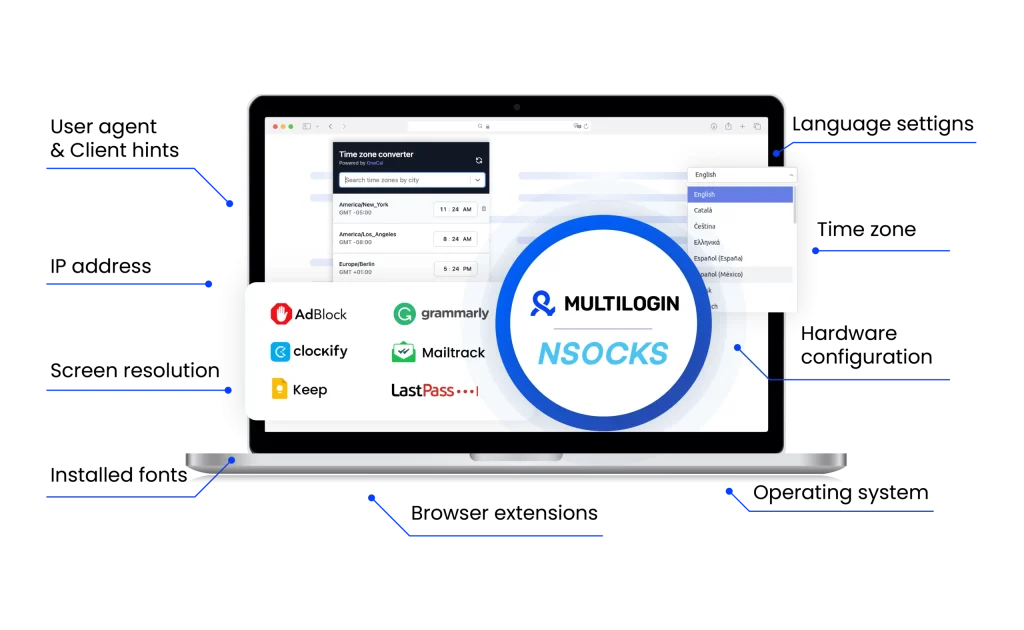
Pairing NSOCKS.net with multi-account browsers provides a robust framework for advanced digital operations, ensuring both high success rates and anonymity. This combination gives you the ability to build and manage a scalable, multi-account infrastructure that appears as genuine users to any platform you target.
NSOCKS.net unique benefits
Compare NSOCKS.net with an alternative
Compare features, functionality, and benefits to find the solution that fits your needs best.
-
Proxy provider
NSOCKS.net

Oxylabs

-
Supported proxy types
NSOCKS.net
Residential proxies
Oxylabs
Residential
ISP
Datacenter
Mobile
-
Starting price
NSOCKS.net
$0.40 – $0.50 per proxy IP
Oxylabs
Residential Proxies: from $8/GB
Datacenter Proxies: from $1.2/GB
ISP Proxies: from $1.60/IP
Mobile Proxies: from $9/GB -
Speed
NSOCKS.net
—No dataOxylabs
Average response time of under 1 second
-
Success rate
NSOCKS.net
99%
Oxylabs
97-99%
-
Size of IP pool
NSOCKS.net
Residential proxies in 190+ countries and regions with over 35K IP addresses
Oxylabs
102M+ IPs across 195 countries
-
Session control
NSOCKS.net
Offers both rotating and sticky sessions
Oxylabs
Rotating and sticky sessions available
for up to 24 hours using the sesstime parameter -
Best for
NSOCKS.net
Multi-account management, market research, and social media marketing
Oxylabs
Businesses & individuals – large-scale scraping, SEO, automation, data extraction
Watch the Multilogin Demo
See how to run multiple accounts in just 2 minutes.
Watch the demo below and discover how Multilogin can streamline your workflow.
Why Multilogin is the perfect match for NSOCKS.net
Looking for all-in-one antidetect browser with built-in proxies?
Multilogin comes with built-in residential proxies to make multi-accounting, web scraping and web automation easier than ever. No extra setup, no third-party services—just undetectable browsing at no additional cost.
- Unlimited time
- Mobile and browser profiles included
- Free built-in proxies & mobile minutes
Discover more proxy providers
-
Read the review

- Read the review Review
-
Read the review

-
Read the review

-
Read the review

-
Read the review

-
Read the review

-
Read the review

-
Read the review

-
Read the review
-
Read the review

-
Read the review

-
Read the review

-
Read the review

-
Read the review

-
Read the review

-
Read the review

-
Read the review

-
Read the review

-
Read the review

-
Read the review

-
Read the review

-
Read the review

-
Read the review

-
Read the review

-
Read the review

-
Read the review

-
Read the review

- Read the review Cherry Proxy
- Read the review CLiproxy
-
Read the review

-
Read the review

-
Read the review

-
Read the review
-
Read the review

-
Read the review
-
Read the review

-
Read the review

-
Read the review

-
Read the review

-
Read the review

-
Read the review

-
Read the review

-
Read the review

-
Read the review

-
Read the review

-
Read the review

-
Read the review

-
Read the review

-
Read the review

-
Read the review

-
Read the review

-
Read the review

-
Read the review

-
Read the review

-
Read the review

-
Read the review

-
Read the review

-
Read the review
NSOCKS.net: Everything You Need to Know in 2026
In the crowded world of proxy providers and online privacy tools, finding a service that balances control, cost, and reliability isn’t easy. Many providers rely on rigid subscriptions or fully automated systems that rotate IPs whether you want them to or not. nsocks.net takes a different path. Instead of locking you into monthly packages, it offers a hands-on, pay-per-use model that gives you full control over the proxies you use. This guide takes you through what makes nsocks.net stand out — its features, pricing, refund policy, practical use cases, and how it can be combined with Multilogin for a more complete online identity management setup.
What is NSOCKS.net?
At its core, NSOCKS.net is a proxy service offering access to residential, mobile (LTE), and datacenter IPs. The difference is in how you use it. Instead of everything being handled through an automated backend, nsocks.net runs through a desktop client. This client acts as your control panel — letting you search, filter, and pick proxies yourself, then assign them as you see fit.
A major selling point is that proxies are stable. When you choose one, you keep it for the full duration — no forced rotation. That’s ideal for tasks that depend on a consistent online identity, like account management or long browsing sessions.
Core features of NSOCKS.net
NSOCKS.net builds its service around a few defining principles:
- Vetted, high-quality proxies: Each proxy is checked against blacklists before it’s available. If you do buy one that shows up on a blacklist, you get 50% off. That kind of transparency is rare in this space.
- Custom filtering: The client lets you filter by type (LTE, residential, datacenter), location (state, city, ZIP), ISP, and even by the target domain you plan to use. This allows very precise matching between the proxy and the task.
- Pay-per-use pricing: Instead of fixed subscriptions, proxies are sold individually. Prices start from just $0.40 for 24 hours, making the service accessible even for small or one-off tasks.
- Private VPN services: Beyond proxies, nsocks.net offers to build and maintain private VPN setups for individuals or companies.
Use cases: Where NSOCKS.net works best
Because it puts so much control in the user’s hands, NSOCKS.net is particularly effective for projects that need specific, stable, and localized proxies.
- Market research: By filtering down to city or even ZIP level, businesses can check prices, offers, or regional content exactly as a local user would see them.
- Multi-account management: Social media managers or e-commerce operators can assign one stable proxy per account, reducing the risk of bans that come with IP switching.
- Ad verification: Marketers can load web pages from specific locations to confirm that ads are being shown correctly to the right audiences.
- Testing localized platforms: Developers can use NSOCKS.net to test how apps, websites, or digital services perform in different regions, ISPs, or device types.
- Privacy-first browsing: Individuals who simply want to browse without exposing their personal IP can use short-term proxies without committing to monthly plans.
Why combine NSOCKS.net with Multilogin?
On its own, NSOCKS.net provides strong IP-level anonymity. But IP is just one part of your online identity. Websites track much more: browser fingerprints, cookies, time zones, fonts, and dozens of subtle markers. That’s where Multilogin comes in.
Multilogin creates separate browser profiles, each with its own unique fingerprint. NSOCKS.net provides stable, geo-targeted proxies to assign to each profile.
Together, they create a much more complete solution. Multilogin handles the fingerprinting side, while NSOCKS.net ensures every profile has a clean, consistent IP identity. For multi-account operations, web scraping, or ad verification, this combination greatly reduces the risk of being flagged.
How to use NSOCKS.net with Multilogin
Integrating nsocks.net with Multilogin is straightforward:
- Get your proxy from NSOCKS.net.
- Open the desktop client, search, and select the proxy you need (residential, mobile, or datacenter).
- Copy the connection details. Each proxy comes with an IP, port, username, and password.
- Open Multilogin. Create a new browser profile or edit an existing one.
- Enter proxy settings. In the Multilogin profile’s proxy tab, paste in the IP, port, and login credentials provided by nsocks.net.
- Test the connection. Multilogin has a “Check Proxy” feature to confirm the connection is live.
- Run your session. Once saved, that profile will always use the NSOCKS.net proxy you attached.
This setup means each browser profile in Multilogin can be tied to its own dedicated proxy, giving you both IP and fingerprint isolation.
Final verdict
NSOCKS.net: is not trying to be a one-size-fits-all provider. Instead, it focuses on giving users manual control over the proxies they use. The ability to search by city, ZIP, or ISP, choose stable IPs, and pay only for what you need makes it especially appealing for users who want flexibility without recurring costs.
Where it shines is in targeted, identity-sensitive tasks: market research, account management, and ad verification. Combined with Multilogin, it becomes part of a powerful setup for multi-accounting or web automation, covering both the IP and fingerprinting sides of online identity.
With prices starting as low as $0.40 for a daily proxy and a clear refund policy, nsocks.net offers a unique alternative to the subscription-heavy models that dominate the market. For users who prefer control, transparency, and affordability, it’s a provider worth considering in 2026.
FAQ
What types of proxies does NSOCKS.net provide?
NSOCKS.net offers residential, mobile (LTE), datacenter, static residential, and ISP proxies. Each serves a different purpose — residential and mobile for authentic consumer traffic, static residential for long-lived sessions, and datacenter for speed and cost efficiency.
How is NSOCKS.net different from subscription-based proxy providers?
Unlike most proxy services, NSOCKS.net uses a pay-per-use model. Instead of monthly subscriptions, you purchase proxies individually, starting at just $0.40 for 24 hours. This gives you more flexibility and avoids recurring costs.
Can I choose the exact location of my proxy via NSOCKS.net?
Yes. The NSOCKS.net client provides detailed filtering. You can search and select proxies by:
- Country
- State
- City
- ZIP code
- ISP (Internet Service Provider)
- Even the target domain you plan to access
This level of precision makes NSOCKS.net particularly useful for ad verification, local SEO testing, or region-specific market research.
What are the main use cases for NSOCKS.net?
Common use cases include:
- Market research – simulate browsing from specific cities or ISPs to analyze regional data.
- Ad verification – check that ads display correctly in exact locations.
- Social media/account management – assign one proxy per account to avoid bans.
- Web scraping – collect data at scale with stable residential or mobile IPs.
- Sneaker copping & ticketing – fresh IPs improve chances of bypassing bot defenses.
- Private browsing – short-term proxies provide anonymity without subscriptions.
How does NSOCKS.net compare with popular SOCKS5 proxy providers?
NSOCKS.net has some clear differences compared to well-known SOCKS5 providers like Proxy-Seller, Shifter, and SOCKS5Hub:
- Pricing model: NSOCKS.net uses a pay-per-use system (from $0.40/24h). Proxy-Seller and SOCKS5Hub focus on monthly plans, while Shifter sells rotating bundles.
- Stability: Proxies from NSOCKS.net are sticky by default, which is rare. Many competitors enforce automatic rotations or time-limited stickies.
- Location targeting: NSOCKS.net offers detailed filters (down to ZIP, ISP, domain). Proxy-Seller usually supports only country/city-level targeting.
- Refunds and transparency: NSOCKS.net has a clear 2-hour refund and discounts for blacklisted IPs. Competitors rarely offer such direct policies.
- Support: NSOCKS.net uses Telegram and Jabber for real-time contact. Many providers rely on ticket-based systems that take longer.
- Scale: While enterprise players like Oxylabs or Bright Data may boast larger pools, they are far more expensive and subscription-driven. NSOCKS.net is more accessible to individuals and smaller teams.
How do I integrate NSOCKS.net with Multilogin?
- Purchase a proxy in the NSOCKS.net client.
- Copy the IP, port, username, and password.
- In Multilogin, create or edit a profile and paste the proxy details into proxy settings.
- Run “Check Proxy” to confirm the connection.
- Save and use the profile.
The combination works well because Multilogin manages browser fingerprints while NSOCKS.net handles stable IP identity.