







What is IPBurger
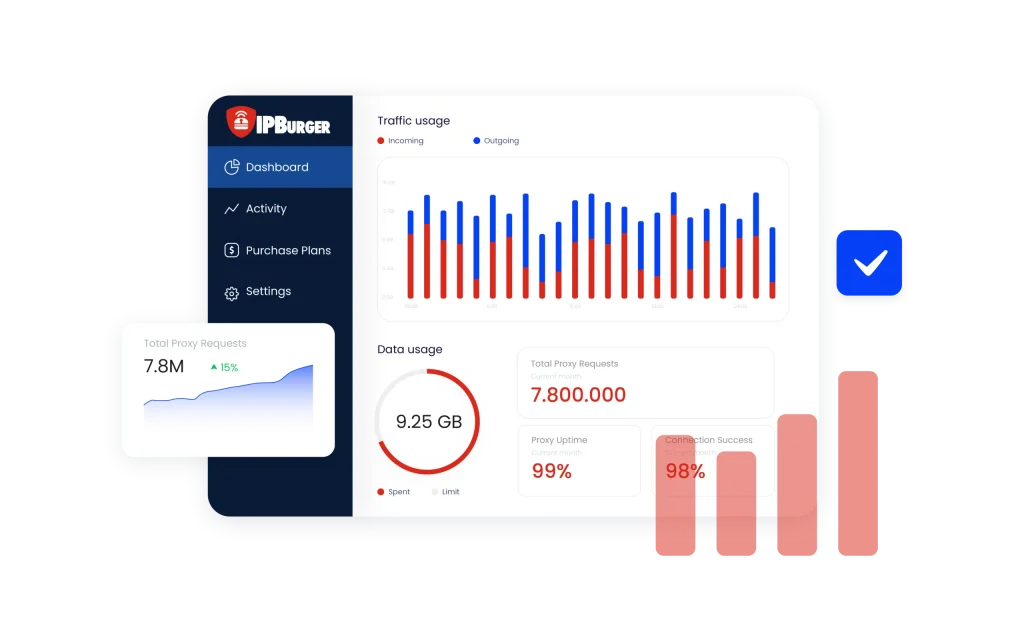
IPBurger is a leading provider of dedicated IP and VPN services, established to enhance online privacy, security, and unrestricted web access. They offer a range of proxy solutions, including Fresh Dedicated IPs, Private Dedicated IPs, Static (ISP) Residential Proxies, and Rotating Residential Proxies. IPBurger serves users and businesses seeking secure and anonymous internet browsing experiences.
Key offerings:
- Proxy solutions: IPBurger provides Fresh Dedicated IPs, Private Dedicated IPs, Static (ISP) Residential Proxies, and Rotating Residential Proxies to cater to diverse user needs.
- Advanced proxy management: Features like retries, timeouts, and analytics enhance the reliability and efficiency of IPBurger’s services.
- Web scraping tools: IPBurger offers solutions like Web Unlocker and APIs to optimize data extraction from any website.
Why to use IPBurger with multi-account browser
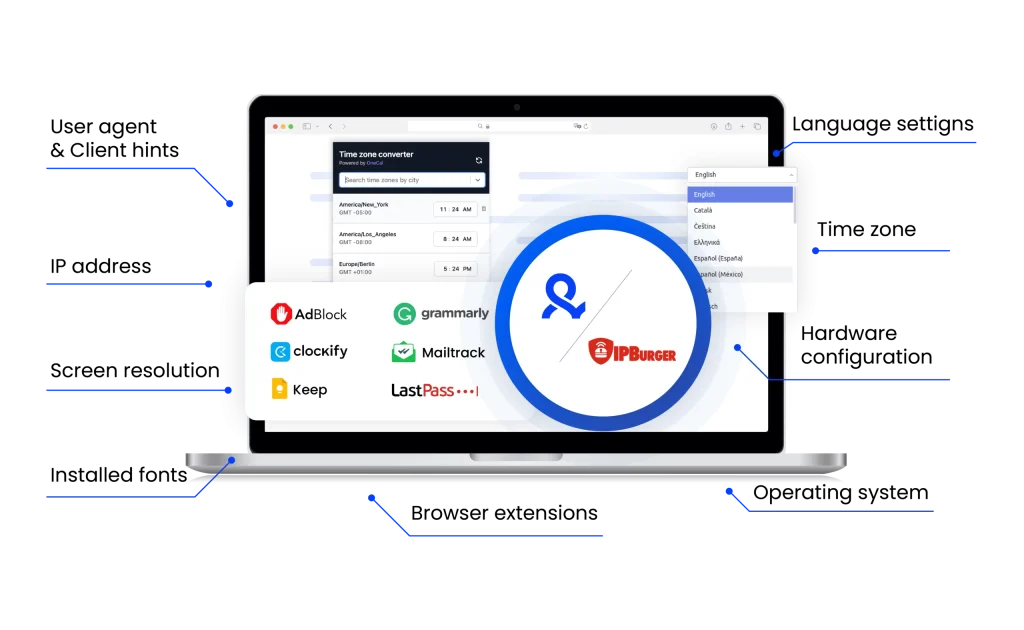
Pairing IPBurger proxies with Multilogin ensures complete online privacy and security. IPBurger’s dedicated IPs and rotating residential proxies mask your real IP, while Multilogin prevents browser fingerprint tracking, keeping your online activities untraceable.
This combination allows you to manage multiple accounts, bypass geo-blocks, and automate tasks without the risk of detection. With IPBurger and Multilogin, you can stay anonymous and avoid bans.
IPBurger unique benefits
Compare IPBurger with an alternative
Compare features, functionality, and benefits to find the solution that fits your needs best.
-
Proxy provider
IPBurger

Oxylabs

-
Supported proxy types
IPBurger
Residential
Static ISP
Mobile
DedicatedOxylabs
Residential
ISP
Datacenter
Mobile
-
Starting price
IPBurger
Residential Proxies: From $13.80/GB (Starter Plan: $69/month for 5 GB)
Mobile Proxies From $50/month for 2 GBOxylabs
Residential Proxies: from $8/GB
Datacenter Proxies: from $1.2/GB
ISP Proxies: from $1.60/IP
Mobile Proxies: from $9/GB -
Speed
IPBurger
Average response time of approximately 2-3 seconds
Oxylabs
Average response time of under 1 second
-
Success rate
IPBurger
No data available
Oxylabs
97-99%
-
Size of IP pool
IPBurger
Over 75 million residential IPs across 190+ countries and 2,000+ cities; 9.3 million mobile IPs from global carriers
Oxylabs
102M+ IPs across 195 countries
-
Session control
IPBurger
Rotating and sticky sessions.
Sticky sessions available for up to 30 minutes with residential proxiesOxylabs
Rotating and sticky sessions available
for up to 24 hours using the sesstime parameter -
Best for
IPBurger
Businesses and individuals needing high-performance proxies for web scraping, ad verification, price monitoring, and privacy-focused browsing
Oxylabs
Businesses & individuals – large-scale scraping, SEO, automation, data extraction
Watch the Multilogin Demo
See how to run multiple accounts in just 2 minutes.
Watch the demo below and discover how Multilogin can streamline your workflow.
Why Multilogin is the perfect match for IPBurger
Looking for all-in-one antidetect browser with built-in proxies?
Multilogin comes with built-in residential proxies to make multi-accounting, web scraping and web automation easier than ever. No extra setup, no third-party services—just undetectable browsing at no additional cost.
- Unlimited time
- Mobile and browser profiles included
- Free built-in proxies & mobile minutes
Discover more proxy providers
-
Read the review

- Read the review Review
-
Read the review

-
Read the review

-
Read the review

-
Read the review

-
Read the review

-
Read the review

-
Read the review

-
Read the review

-
Read the review

-
Read the review

-
Read the review

-
Read the review

-
Read the review

-
Read the review

-
Read the review

-
Read the review

-
Read the review

-
Read the review

-
Read the review

-
Read the review

-
Read the review

-
Read the review

-
Read the review

-
Read the review

-
Read the review

-
Read the review

-
Read the review

- Read the review Cherry Proxy
- Read the review CLiproxy
-
Read the review

-
Read the review

-
Read the review

-
Read the review
-
Read the review

-
Read the review
-
Read the review

-
Read the review

-
Read the review

-
Read the review

-
Read the review

-
Read the review

-
Read the review

-
Read the review

-
Read the review

-
Read the review

-
Read the review

-
Read the review

-
Read the review

-
Read the review

-
Read the review

-
Read the review

-
Read the review

-
Read the review

-
Read the review

-
Read the review

-
Read the review

-
Read the review
IPBurger proxies
IPBurger is a trusted provider of high-quality proxy solutions tailored to meet the needs of users who prioritize online security, privacy, and seamless account management. Whether you’re handling sensitive data, engaging in e-commerce, managing multiple social media accounts, or conducting web scraping tasks, IPBurger offers reliable, fast, and secure proxies. With a diverse range of proxy options, users can enjoy a stable connection and high performance across various applications. Additionally, Multilogin lets users maximize their privacy and efficiency on Multilogin plans.
How to use IPBurger proxies with Multilogin multi-account browser
Integrating IPBurger proxy services with Multilogin allows you to enjoy secure, anonymous browsing while managing multiple accounts with ease. Here’s how you can set up IPBurger proxies with Multilogin:
- Get Your IPBurger Details
Log in to your IPBurger account and navigate to the proxy management section. Here, you’ll find your proxy host, port, username, and password, which are essential for setting up the connection. - Create a New Profile in Multilogin
Open the Multilogin multi-account browser and click on “Create new” to set up a new browser profile. Choose your desired operating system (OS) and browser type. - Configure Proxy Settings
Go to the “Proxy” section within the profile settings in Multilogin. Select “Custom” as the proxy type, then choose the appropriate protocol (HTTP, HTTPS, or SOCKS5) and enter the proxy details (host, port, username, password) from IPBurger. - Verify Connection
After entering your proxy details, click the “Check proxy” button to confirm that the connection is working properly. This will ensure you’re connected securely and can browse with the IPBurger proxy. - Launch and Browse
Save your profile and start browsing securely using IPBurger proxies in Multilogin. You can now manage your online accounts while enjoying enhanced security and privacy.
IPBurger chrome extension: Convenient proxy management
The IPBurger Chrome extension optimizes the process of proxy management by allowing you to easily switch proxies directly from your browser. This tool eliminates the need for complex manual configurations, enabling quick and secure IP changes. By using the Chrome extension, you can seamlessly manage your proxy settings without interrupting your workflow. The extension enhances both security and efficiency, providing users with a more convenient and user-friendly experience.
Affordable proxies with IPBurger + Multilogin
With IPBurger proxy solutions, you can enjoy fast, secure, and anonymous browsing while efficiently managing multiple accounts. IPBurger proxies are ideal for SEO, ad verification, web scraping, and automation tasks. You’ll benefit from uninterrupted performance and reliable connections with an extensive IP pool to meet your specific needs. Furthermore, Multilogin allowing you to maximize both privacy and efficiency when using Multilogin multi-account browser.
IPBurger proxy solutions for online privacy
IPBurger provides a range of high-performance proxies designed to offer users seamless online privacy. Whether you’re handling sensitive data, managing multiple accounts, or conducting web scraping, IPBurger’s proxy services ensure secure and private browsing. Their proxies are perfect for anyone needing a stable connection while protecting their identity.
Key Features:
- Reliable and secure proxies for social media, SEO, and web scraping
- Protects your personal data and ensures online anonymity
- Fast and stable connections with low latency
Get the most out of your IPBurger account
Logging into your IPBurger account opens up a variety of tools and settings designed to maximize your privacy and security. Whether you’re a new user or an experienced one, getting started is easy. Here’s how to get the most from your IPBurger account:
- Access proxy management options
- View and manage your IPBurger login details
- Configure custom proxy settings for different use cases
- Keep track of usage and billing details for better control
IPBurger reviews: What customers say
IPBurger receives positive reviews from users who praise its reliability, speed, and ease of use. Customers report that the proxies are highly effective for various purposes, such as managing multiple accounts, web scraping, and online privacy. The IPBurger Chrome extension is particularly appreciated for its convenience, allowing users to easily switch proxies without hassle. Additionally, the strong security features of IPBurger ensure that users can browse the internet with confidence, knowing their identity is well-protected.
Benefits of using IPBurger proxies for online security
IPBurger proxies are designed to protect your online privacy and ensure security. Whether you are browsing the web, managing multiple accounts, or scraping data, their proxies provide a secure layer between your device and the internet. Here’s how IPBurger can help:
- Strong Anonymity & Security: Masks your IP address to protect your online identity
- Bypass Geo-Restrictions: Access region-locked content and services with ease
- Improved Performance: Low-latency proxies ensure fast and reliable browsing
- Avoid Tracking: Keeps your activities anonymous and helps prevent tracking
FAQ
What is IPBurger and what services does it offer?
IPBurger is a leading provider of high-performance proxy solutions, offering various types of proxies to ensure anonymity, privacy, and secure online browsing. They provide residential, datacenter, and mobile proxies that cater to different needs such as social media management, SEO, and web scraping.
When using IPBurger with Multilogin, users can manage multiple accounts securely and anonymously. By integrating IPBurger’s proxies with Multilogin, you can safeguard your identity and manage various online accounts simultaneously without the risk of detection.
How to use IPBurger extension for proxy management?
The IPBurger Chrome extension allows users to manage proxies directly from their browser. It allows easy IP switching without manual configurations, enhancing ease of use.
For Multilogin users, the IPBurger extension is a great tool for easily switching between proxies while maintaining a safe browsing session. It integrates easily, guaranteeing you can browse anonymously and manage multiple profiles on Multilogin without any hassle.
What is an IPBurger promo code and how do I use it?
An IPBurger promo code is a unique alphanumeric code that you can use during checkout on their website to unlock special discounts and offers. To use it, simply enter the promo code in the designated box during payment.
Multilogin offers its own exclusive promo code for Multilogin subscriptions. If you’re using Multilogin alongside IPBurger, take advantage of a special 50% discount on your first month when signing up for Multilogin. Simply pick your plan and use the [PROMOCODE] at checkout to claim your exclusive offer.
How do I access my IPBurger login details?
To access your IPBurger login details, you need to visit the IPBurger website and log in to your account using your registered credentials. Once logged in, you can manage proxy settings, view billing details, and check usage statistics.
For Multilogin users, you’ll need to log in to your IPBurger account to retrieve your proxy details. Once logged in, you can enter your IPBurger proxy information into Multilogin to start managing your profiles securely with the correct proxy settings.
What do IPBurger reviews say about the service?
IPBurger has received positive reviews for its reliability, fast speeds, and excellent customer support. Users appreciate the ease of use and the flexibility of IPBurger’s proxy services, making it a top choice for privacy and security.
IPBurger is highly regarded among Multilogin users for its easy integration and support for managing multiple online accounts. The high-speed proxies and safe browsing experience make it a preferred option for users who rely on Multilogin for safe, efficient account management.
How to use IPBurger for web scraping and other tasks?
IPBurger proxies are ideal for web scraping, as they help you maintain anonymity and prevent your IP from being blocked. You can configure IPBurger proxies to rotate IPs automatically, ensuring that your web scraping activities are undetected.
When using IPBurger with Multilogin for web scraping, Multilogin’s advanced profile management features allow you to easily switch between different IP addresses from IPBurger to guarantee your scraping activities remain anonymous.
How can I sign up for IPBurger services at IPBurger.com?
To sign up for IPBurger services, simply visit IPBurger.com and create an account by providing your contact details and payment information. Once signed up, you can start choosing the proxy type that best suits your needs.
Once you’ve signed up at IPBurger.com, you can integrate your IPBurger proxies directly into your Multilogin profiles. This allows you to safely browse and manage multiple accounts with ease.
How to manage your proxies using IPBurger Chrome extension?
The IPBurger Chrome extension lets you manage your proxies directly from your browser. You can quickly switch between different IPs, ensuring anonymous and safe browsing without having to manually adjust settings.
For Multilogin users, the IPBurger Chrome extension can be used in tandem with the Multilogin browser. By using the extension, you can quickly rotate IP addresses and manage proxies without leaving the Multilogin environment, guaranteeing a smooth experience.