







-
Built-in proxies
Multilogin
Multilogin offers a built-in residential proxy system that simplifies setup and reduces account ban risks. With 30+ million IPs across 150+ countries, it ensures stable global performance. Key features include 24-hour sticky sessions, bandwidth rollover, and smart IP filtering. Users can also integrate their own proxies for added flexibility.
Indigo
Indigo browser does not provide built-in proxies. Users must manually configure external proxies, such as SOCKS5, HTTP, or SOCKS4, from third-party providers. This adds complexity and requires additional setup time.
-
Web automation
Multilogin
Multilogin is built for users handling both small and large-scale tasks, whether you’re managing five accounts or five thousand. It works smoothly with trusted automation tools like Selenium, Playwright, and Puppeteer, allowing easy integration into your existing setup. For custom workflows, the Standard OpenAPI gives you full control over profile management and automation.
Indigo
Indigo browser supports basic web automation through Selenium integration. However, it lacks support for Playwright and Puppeteer, limiting its capabilities for handling complex automation tasks and managing a large number of accounts.
-
Browser fingerprinting customization
Multilogin
Multilogin offers advanced fingerprint control with 20+ customizable settings, including time zone, WebGL, geolocation, and more, helping you manage browser fingerprints at scale. Each profile is auto-matched to your proxy for better stealth. With custom-built browsers like Mimic (Chromium) and Stealthfox (Firefox), plus Android profile emulation and one-click creation, you get fast, and consistent setup across devices.
Indigo
Indigo browser offers fingerprint customization with options for canvas, WebGL, and other parameters. While it provides a range of settings, the depth and flexibility are less comprehensive compared to Multilogin’s offerings.
-
Data privacy & security
Multilogin
Multilogin is based in Europe and fully complies with GDPR, ensuring your data privacy from the start. If you cancel your subscription, all data, including profiles and logs, is deleted after three months. Passwords are securely hashed, and all sensitive info is encrypted and stored safely in the cloud, protecting your data from both external threats and internal misuse.
Indigo
Indigo browser provides encryption for account management and sessions. However, there is no clear information regarding GDPR compliance or data deletion policies after subscription termination, which may be a concern for users with strict privacy requirements.
-
Browser updates
Multilogin
Multilogin provides detailed updates with the best schedule: every 2 to 4 weeks after the official release. The focus is on browser core and fingerprinting technology. These updates, driven by user feedback, improve functionality, security, and compatibility with web scraping and automation tools.
Indigo
Indigo updates its browser core periodically, such as the recent update to Mimic version 125. However, the update schedule is less frequent and may not be as proactive in addressing new detection techniques compared to Multilogin.
What Multilogin offers that Indigo doesn’t
Multilogin lets you manage multiple accounts from one beginner-friendly platform. You get a full set of features needed for both browser and mobile account management without any extra tools.
Indigo user or new to the game?
Discover Multilogin, a reliable alternative to Indigo
Multilogin vs. Indigo recap chart
Find out why Multilogin is the preferred alternative to Indigo
-
Platform maturity
Multilogin
Launched in 2015, more mature and stable platform
Indigo
Launched in 2018, less mature platform
-
Country of origin
Multilogin
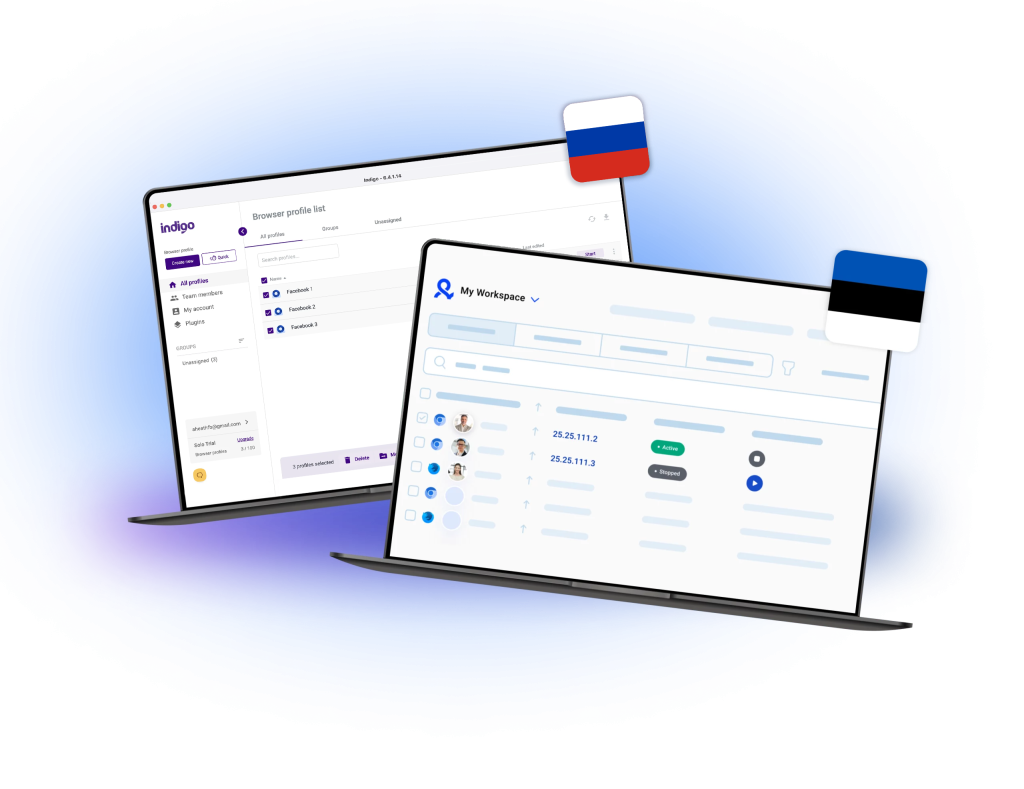
Estonia
Indigo
Russia
-
Platform compatibility
Multilogin
macOS, Windows, Linux
Indigo
macOS, Windows, Linux
-
Mobile emulation
Multilogin
IOS, Android
Indigo
Included
-
Security
Multilogin
High security
Indigo
High security
-
Anti-fingerprinting technology
Multilogin
High level
Indigo
High level
-
Quick profile creation
Multilogin
Included
Indigo
Included
-
Frequent updates
Multilogin
Frequent and detailed updates
Indigo
Regular updates
-
Built-in proxies
Multilogin
Included
Indigo
Not included
-
Custom browser fingerprint generation
Multilogin
Included
Indigo
Included
-
Account password protection
Multilogin
Included
Indigo
Included
-
Support
Multilogin
24/7 Live Support, supports 5 languages
Indigo
Available, can be slow
-
Knowledge center
Multilogin
Included
Indigo
Included
-
Profile warmup with pre-farmed cookies
Multilogin
Included
Indigo
Not included
-
Real-time external IP change detection
Multilogin
Included
Indigo
Not included
-
Market position
Multilogin
Beginner-friendly and scalable for businesses and teams of any size
Indigo
Suitable for small to medium-sized businesses
Grow your social media accounts with Multilogin cloud phones
Build account trust, reach any location, and boost your engagement
- Unlimited time
- Mobile and browser profiles included
- Free built-in proxies & mobile minutes
Why people love Multilogin
-

A Good Cloud Phone for Account Management
Running a small team means I need control over who can access what, and Multilogin handles that well. The team access controls let me manage permissions without giving everyone the keys to every account. On top of that, the cloud phones keep everything isolated so one account issue doesn’t put the rest at risk. Solid choice for agencies managing multiple clients or accounts.
-

The best service for great ideas and big minds!
Always here for their clients, always ready to help out. I am using the service for 3-4-5 months now and brought me lots of great things 🙂 Hope to grow it on a larger scale and continue using the service …
-

Cloud phones make it easy to manage multiple TikTok accounts with AI agents
I use Multilogin to manage a bunch of AI agents running TikTok accounts for different countries. Since each agent needs its own account, I wanted an easy way to keep everything organized. Cloud phones make it super easy. Every account has its own phone, so I don’t have to buy or manage a bunch of real devices. I can see everything in one dashboard while the AI agents handle posting and the rest of the daily work.
-

Ideal for Social Media Management
I mainly use Multilogin for client social media management, and the cloud phones have been the biggest advantage for me. I can keep different clients in separate environments, leave their sessions running, and jump between accounts without constantly switching physical devices. It feels much more practical than trying to manage everything from a pile of phones.
-

Perfect browser for work, worth the money!
My overall experience with Multilogin has been excellent. I really like its intuitive dashboard, reliable customer support, and competitive pricing. It has become an essential part of my e-commerce business, and I highly recommend it to anyone looking for a dependable solution.
-

Safer accounts using Cloud Phones for social profiles
Running social profiles on cloud phones feels safer, everything is properly separated instead of relying on browser fingerprint tricks alone. Been running mine for a couple months with zero linking issues.
-

Efficient Account Management and Outstanding Support with Multilogin
Multilogin has been an excellent tool for managing multiple accounts efficiently. The setup was quick, and I was able to start using it right away with no learning curve. The interface feels just like Chrome, making it easy to navigate and work without interruption. Performance has been smooth, and browsing feels natural and responsive.
The award-winning platform for social media growth















See more comparisons
- Compare with Android Emulator
-
Compare with

-
Compare with

- Compare with Browser Emulator
-
Compare with

-
Compare with

-
Compare with

-
Compare with

-
Compare with

-
Compare with

-
Compare with

-
Compare with

-
Compare with

-
Compare with

-
Compare with

-
Compare with

-
Compare with

-
Compare with

-
Compare with

-
Compare with

-
Compare with
-
Compare with

-
Compare with

-
Compare with

-
Compare with

-
Compare with
-
Compare with

-
Compare with

-
Compare with

-
Compare with

-
Compare with

-
Compare with

-
Compare with

-
Compare with

-
Compare with

-
Compare with

-
Compare with

-
Compare with
Watch the Multilogin Demo
Learn how Multilogin can boost your business. Check the video below to see its full capabilities in a short demo video.
Multilogin vs. Indigo: Detailed Comparison for 2025
Indigo is another recognizable name in the browser market, offering features for multi-accounting and basic browser fingerprinting. While it serves the needs of smaller teams and solo users, it doesn’t yet cover the broader capabilities offered by Multilogin in areas like proxy management, automation, and real-time detection. Below, we explore what Indigo offers, and where it may be more limited.
Understanding Indigo features
The Indigo platform allows users to manage browser fingerprints for safer multi-accounting. It provides core features for anonymity, though users may need to rely on additional tools for large-scale use. Multilogin, by comparison, offers extended automation and fingerprint generation options built for high-traffic workflows.
What to expect from the Indigo browser
The Indigo browser includes a straightforward UI and essential tools for identity management. It’s an option for users who prefer a lightweight solution, though those with more advanced operational needs, such as scaling across accounts or managing team access, may find more flexibility in Multilogin.
Indigo download and setup insights
Completing an Indigo browser download is quick, and the software is compatible with most proxy types. However, setup can require manual steps like importing configurations or cookies. Multilogin reduces manual effort with quick profile creation, pre-farmed cookies, and streamlined onboarding features.
Features of the Indigo web browser
The Indigo web browser is Chromium-based and supports multi-session workflows. It’s a practical tool for managing a few online personas. Multilogin, while offering similar support, includes custom-built browser engines focused on compatibility and stealth across dozens of platforms.
Indigo knowledge resources and support
Indigo offers a limited knowledge base and basic documentation for its features. While it answers common setup questions, users seeking deeper technical guidance or real-time support may need to rely on external communities. Multilogin complements its platform with a detailed help center and multilingual support team.
FAQ: Multilogin vs. Indigo
What is Indigo and how does it work?
Indigo is a browser solution designed to help users mask their digital identity by modifying browser fingerprints. It’s commonly used for managing multiple online accounts. While it offers basic anti-detection tools, platforms like Multilogin provide additional support for automation, pre-farmed cookies, and enhanced fingerprint control.
Is Indigo browser good for multi-account management?
The Indigo browser is frequently used for managing multiple accounts across various platforms. It enables users to isolate sessions and apply different fingerprint settings. Multilogin also supports this functionality, with added scalability features for teams and businesses handling high-volume operations.
How do I complete an Indigo browser download?
An Indigo browser download can be initiated from its official website and runs on Windows, macOS, and Linux. The process is relatively simple, but further setup, like proxy integration and fingerprint adjustment, needs to be done manually. Multilogin includes quick-start tools that help speed up initial configurations.
What makes the Indigo web browser popular among digital marketers?
The Indigo web browser is valued for its fingerprint customization and support for popular proxy types. It’s lightweight and suitable for small-scale use. Digital marketers who need daily platform testing or native browser automation often explore platforms like Multilogin for expanded capabilities.
How do you configure an Indigo proxy for anonymity?
Setting up an Indigo proxy involves manually entering your proxy credentials into the browser’s configuration settings. While this supports HTTP, SOCKS5, and other proxy types, it may lack advanced proxy management tools. Multilogin offers built-in proxy options and one-click proxy testing to simplify the process.