Create multiple Kwai accounts safely
Set up and run multiple Kwai accounts on a single desktop with Multilogin. Each account operates inside its own isolated browser profile, which prevents triggering blocks, bans, or verification loops.
Manage multiple Kwai accounts with real device simulations
Multilogin lets you create and manage multiple Kwai accounts from one dashboard. Platforms see each account as a separate, legitimate user. Switch between accounts instantly without risking cross-linking or shared signals.
Stay logged in to your Kwai accounts with no password chaos
Multilogin stores sessions securely in the cloud, preserving cookies, tokens, and device fingerprints. Stay logged in without relying on password spreadsheets or recovery codes.
Reduce the risk of Kwai bans with built-in proxies
Stop relying on shared IPs or external proxy tools using
Multilogin’s premium residential proxies:
- 24-hour sticky sessions for stable connections
- 95% clean IPs to avoid bans
- 30M+ residential IPs in 195+ countries
- City-based targeting in 1,400+ cities
Share Kwai accounts with your team without headaches
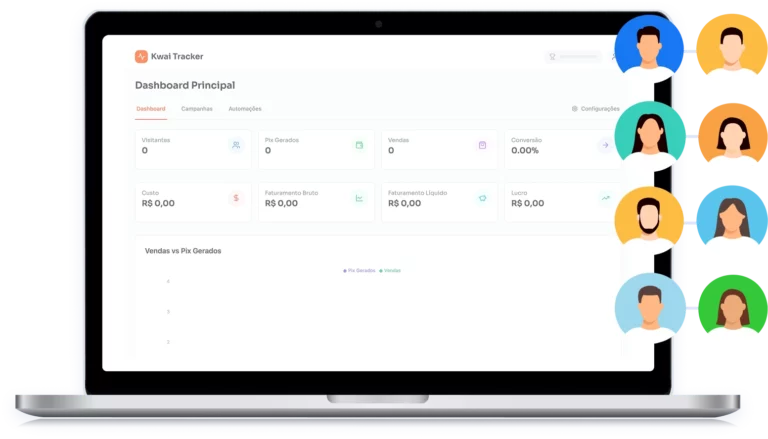
You can grant role-based access, pause and resume sessions, and keep account environments fully isolated — even when multiple people work on the same campaigns. No shared logins. No accidental cross-use.
Try Multilogin Risk-Free — Just €1.99!
-
3-day access to Multilogin
-
5 cloud or local profiles
-
200 MB proxy traffic included
-
3-day access to Multilogin
-
5 cloud or local profiles
-
200 MB proxy traffic included
What is antidetect browser?
An antidetect browser is a tool that hides a user’s digital fingerprint and provides anonymity online by masking device and browser details. It is useful to manage multiple accounts on various platforms without triggering detection or bans.
Why use Multilogin for managing multiple Kwai accounts?
Multilogin provides everything you need to manage multiple accounts and automate data scraping effectively. With antidetect browsers that behave like real users, high-quality residential proxies to bypass anti-scraping bots, and support for popular automation tools like Puppeteer, Playwright, and Selenium.
What Multilogin offers that other antidetect browsers don't
Free residential proxies in each subscription plan
Daily testing on 50+ websites
Passes all browser fingerprint checkers
Profile warmup with pre-farmed cookies
AI-powered automation
Super sticky sessions last up to 24 hours
Multilogin features for creating multiple TikTok accounts
Bypass bot detection
Our anti-fingerprinting tech bypasses multi-account and automated browser detection by masking unique browser fingerprints.

Team Collaboration
You can collaborate on browser profiles and easily share passwords, cookies, and session progress with team members.
Data sync over cloud
Use cloud browser profiles to sync data across multiple devices or VPS instances.
Fingerprint adjustment to match proxy
Automatically adjust browser fingerprints to match proxy locations, supporting all types for enhanced security.
Support for all proxy types
Use our proxies or bring your own. Multilogin supports all proxy types.
Residential rotating IPs
We test our residential proxies daily to ensure flawless performance with major platforms.
Chrome or Firefox interface
Our Mimic and Stealthfox browsers fully emulate Chrome or Firefox, providing you with a different digital identity in each browser window.

High load supported
Our platform supports high loads, making it ideal for operations of any size.
Manual mode
Manually control the settings of your browser profiles in secure virtual environments.
Browser action automation
Automate repetitive tasks with Selenium, Playwright, and Puppeteer automation drivers, bypassing anti-bot algorithms.
Related solutions you might like
Watch the Multilogin Demo for creating multiple accounts on Kwai
Get a 10-minute demo video on how Multilogin can help you easily build your database of Kwai accounts while remaining undetected. Just fill in your name, last name and email below, and we’ll deliver the demo video directly to your inbox.
How to start using Multilogin
Start collecting data effortlessly with the industry leading antidetect browser.

Sign up
Register using a verified email address.

Choose your plan
Select from various subscription plans tailored to your business needs.

Download Multilogin agent
Available for Windows, Mac, and Linux.

Access the Multilogin dashboard
Start creating and managing antidetect browser profiles.

Run multiple Kwai accounts
Set up and manage multiple Kwai accounts using separate browser profiles, all from one secure platform
Create multiple Kwai accounts safely in 2026
Kwai has become a competitive space for creators, advertisers, affiliates, and agencies. As the platform matures, running a single account is rarely enough to grow consistently or test new opportunities. Most professional workflows today depend on operating several Kwai accounts at the same time, each with a clear purpose.
The difficulty is that Kwai actively monitors how accounts are created and managed. Devices, IP address, browser fingerprints, and activity patterns are all analyzed to detect behavior that looks automated or linked. When multiple accounts share the same environment, the risk of shadow bans, forced verification, or permanent suspension increases quickly.
Challenges of managing multiple Kwai accounts
Kwai’s anti-abuse systems are designed to spot patterns that don’t resemble real human usage. When several accounts are created or accessed from the same device, browser or IP address, the platform can easily link them together.
This usually shows up as repeated login challenges, frequent SMS verification, or sudden drops in reach without a clear explanation. In more serious cases, one suspended account can trigger flags on other profiles that share the same environment.
These problems aren’t caused by running multiple accounts in itself. They happen because accounts are managed in shared or detectable setups, where fingerprints, sessions, and network data overlap.
How businesses use multiple Kwai accounts in practice
In real-world workflows, businesses and agencies often run many Kwai accounts side by side. Separate profiles are used to compare content performance across niches, operate regional campaigns in parallel, and manage multiple client accounts from a single system.
Marketing teams also rely on multiple accounts to automate posting, monitor engagement, and test variations without disrupting active campaigns. When the infrastructure is set up correctly, each Kwai account functions as a standalone identity, allowing teams to grow several profiles at once without interference.
This approach removes guesswork from scaling and makes account management far more predictable.
Benefits of a safe Kwai multi-account setup
When Kwai accounts are managed in isolated environments, the advantages become clear. Teams are no longer limited by physical devices and can scale accounts as needed. With Multilogin’s antidetect browser, each profile maintains its own cookies, storage, and fingerprint, which prevents cross-linking and improves long-term stability.
Sessions remain logged in instead of constantly resetting, making daily management easier and reducing verification fatigue. Automation also becomes safer, since actions are performed in environments that closely match real user behavior. Combined with dedicated IPs, this setup allows accurate regional targeting without triggering unnecessary flags.
The result is steady growth instead of constant account recovery.
Android emulation for Kwai — without physical devices
Kwai is a mobile-first platform, and many accounts are more stable when accessed from Android environments. Multilogin allows you to run Kwai inside Android browser profiles that reproduce real mobile behavior, not just a mobile user-agent.
This is especially useful for mobile-focused content workflows, campaign testing across devices, and managing accounts that rely on Android-specific signals. You get the realism of mobile access without the cost and complexity of maintaining multiple physical phones.
Why choose Multilogin for Kwai multi-accounting
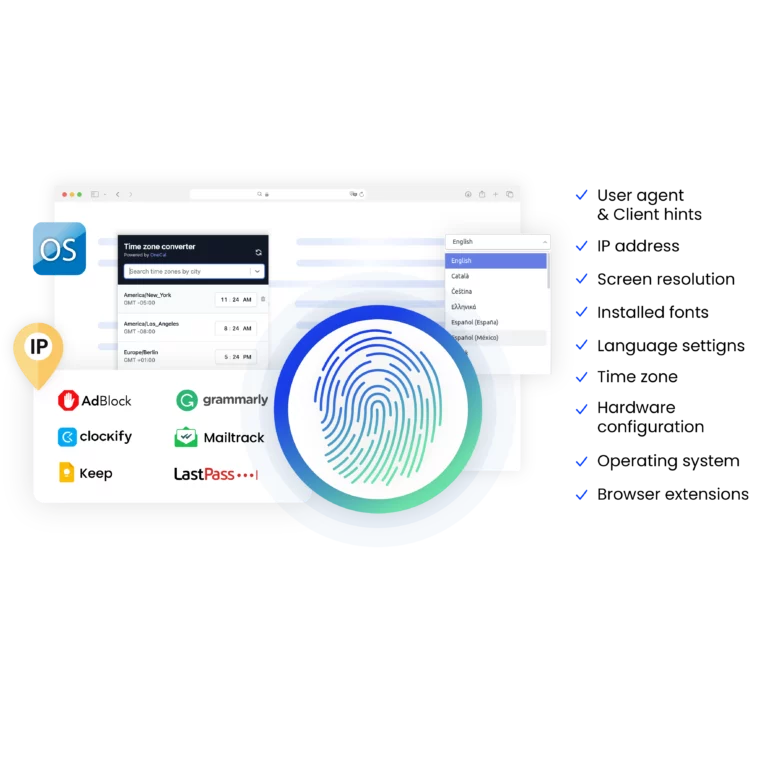
Using proxies alone is not enough to keep Kwai accounts safe. The platform evaluates much more than IP addresses, including screen size, operating system signals, browser configuration, timezone, and language settings. When any of these elements overlap, accounts can still be linked — even if different proxies are in use.
Multilogin solves this at the infrastructure level. Each Kwai account runs inside a fully isolated browser profile that behaves like a separate real device, with its own fingerprint, storage, and network identity. Unlike most solutions on the market, Multilogin also includes built-in residential proxies, so there’s no need to search for external providers, manage credentials, or worry about proxy compatibility.
Teams can assign one clean, dedicated IP to each Kwai account in a few clicks, keep sessions logged in with persistent storage, and operate multiple accounts simultaneously without cross-linking. Each profile is self-contained, stable, and consistent — exactly what Kwai expects from a genuine user environment.
Conclusion
The question is no longer whether you can create more than one Kwai account — you can. The real challenge is keeping those accounts independent, trusted, and alive over time.
For creators, marketers, affiliates, and agencies, Kwai multi-account management is a requirement for growth. Multilogin provides the infrastructure to do it properly, combining isolated browser profiles, unique device fingerprints, built-in proxies, Android emulation, and stable sessions.
That’s how you scale your Kwai strategy with confidence, not guesswork.

FAQs about multiple Kwai accounts
Kwai is owned by Kuaishou Technology, a company founded in China. While its origins are Chinese, Kwai operates globally and has a strong presence in markets like Brazil and other regions. The app follows local regulations and adapts content, moderation, and monetization features depending on the country where it operates.
Kwai is a short-video platform where users create, publish, and consume vertical video content. The algorithm focuses heavily on engagement signals such as watch time, interactions, and consistency, rather than follower count alone. This allows new accounts to gain visibility quickly, but it also means Kwai closely monitors device behavior and activity patterns to prevent abuse.
No. Proxies only change your IP address. Kwai also checks device-level signals like screen resolution, OS behavior, browser configuration, and stored session data. Without full browser isolation, accounts can still be linked even if different proxies are used.
Users can earn money on Kwai through creator incentive programs, brand partnerships, affiliate campaigns, live streaming gifts, and traffic monetization strategies. Many creators and businesses use multiple Kwai accounts to test formats, reach different audiences, or separate monetization strategies — which makes safe multi-account management especially important.
Multilogin creates fully isolated browser profiles where each Kwai account has its own fingerprint, cookies, storage, and network identity. Accounts run as if they were on separate real devices, which significantly reduces the risk of detection or cross-linking.
No. Multilogin includes built-in residential proxies, allowing you to assign a clean, dedicated IP to each Kwai account in a few clicks. This removes the need to search for proxy providers, manage credentials, or troubleshoot compatibility issues.
Kwai is a mobile-first platform, and many accounts perform better and remain more stable when accessed from Android environments. Multilogin’s Android browser emulation reproduces real mobile behavior, making accounts appear more natural without requiring physical phones.
Creators managing niche or backup accounts, agencies handling multiple clients, affiliates running regional campaigns, and brands scaling content or storefronts all benefit from isolated environments, stable sessions, and built-in proxy management.