Create multiple Venmo accounts
Create multiple Venmo accounts from one device using Multilogin’s separate browser profiles that behave like real users. Each profile keeps its own device identity, session history, and connection, so your Venmo accounts stay organized, stable, and ready for daily payment workflows as your operations grow.
Manage multiple Venmo accounts
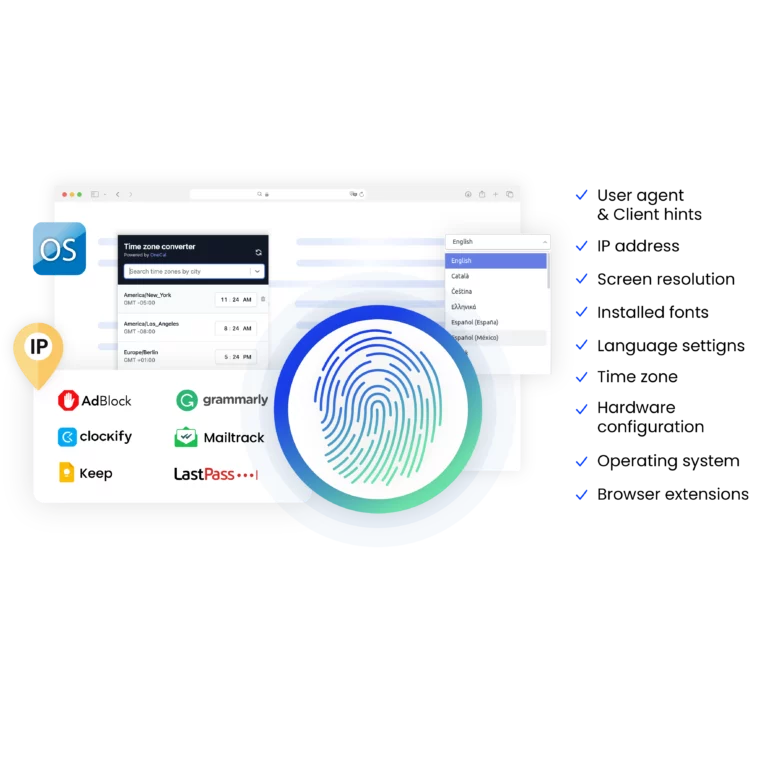
Run multiple Venmo profiles from one organized workspace. Each profile uses 55+ fingerprint parameters to create a distinct device identity, letting you switch between accounts without session conflicts or account overlap, even when managing payments throughout the day.
Manage password-free Venmo from any device
Stay logged in to each Venmo account without switching phones or re-entering passwords. Every account keeps its own session and device identity, so you can open, switch, and manage multiple Venmo accounts from any device without interrupting your payment workflow.
Run as many Venmo accounts as you need
Create and manage Venmo profiles at any scale, from a few accounts to 10,000+ profiles. Set up new profiles quickly, reuse proven settings, and move or export profiles when needed, so your payment workflows can grow without forcing you to rebuild your setup every time.
Share multiple Venmo accounts with your team
Give teammates access to Venmo profiles without sharing passwords or mixing activity. Each account keeps its own session, history, and settings, so your team can handle payments, track activity, and collaborate smoothly without interfering with one another.
Avoid Venmo account restrictions with built-in proxies
Use Multilogin’s built-in residential proxies to keep each Venmo account on its own trusted connection. With access to a pool of 30 million residential IPs across 150+ countries, every profile connects through a clean, consistent route, reducing the chance of account reviews or sudden access limits when managing multiple Venmo accounts.
Try Multilogin Risk-Free — Just €1.99!
-
3-day access to Multilogin
-
5 cloud or local profiles
-
200 MB proxy traffic included
-
3-day access to Multilogin
-
5 cloud or local profiles
-
200 MB proxy traffic included
What is antidetect browser?
An antidetect browser is a tool that lets you run multiple accounts by giving each profile its own device identity. Instead of sharing one browser fingerprint, cookies, and connection, every profile behaves like a separate device, which helps platforms treat each account as independent rather than linked.
Why choose Multilogin for managing multiple Venmo accounts?
Choose Multilogin for managing multiple Venmo accounts because it gives each account its own stable identity, session, and connection in one organized workspace. You can switch between accounts without repeated logins, scale from a few profiles to thousands, share access with your team safely, and rely on built-in residential proxies to keep payment activity consistent as your workflows grow.
What Multilogin offers that other antidetect browsers don't
Free residential proxies in each subscription plan
Daily testing on 50+ websites
Passes all browser fingerprint checkers
Profile warmup with pre-farmed cookies
AI-powered automation
Super sticky sessions last up to 24 hours
Multilogin features for creating multiple Venmo accounts
Bypass bot detection
Our anti-fingerprinting tech bypasses multi-account and automated browser detection by masking unique browser fingerprints.

Team collaboration
You can collaborate on browser profiles and easily share passwords, cookies, and session progress with team members.
Data sync over cloud
Use cloud browser profiles to sync data across multiple devices or VPS instances.
Fingerprint adjustment to match proxy
Automatically adjust browser fingerprints to match proxy locations, supporting all types for enhanced security.
Support for all proxy types
Use our proxies or bring your own. All proxy types are supported.
Residential rotating IPs
Our residential proxies are tested daily ensuring flawless performance with major platforms.
Chrome or Firefox interface
Our Mimic and Stealthfox browsers fully emulate Chrome or Firefox, providing you with a different digital identity in each browser window.

High load supported
Our platform supports high loads, making it ideal for operations of any size.
Manual mode
Manually control the settings of your browser profiles in secure virtual environments.
Browser action automation
Automate repetitive tasks with Selenium, Playwright, and Puppeteer automation drivers, bypassing anti-bot algorithms.
Related solutions you might like
How to start using Multilogin
Start collecting data effortlessly with the industry leading antidetect browser.

Sign up
Register using a verified email address.

Choose your plan
Select from various subscription plans tailored to your business needs.

Download Multilogin agent
Available for Windows, Mac, and Linux.

Access the Multilogin dashboard
Start creating and managing antidetect browser profiles.

Run multiple Venmo accounts
Set up and manage multiple Venmo accounts using separate browser profiles, all from one secure platform.
Watch the Multilogin Demo for creating multiple accounts on Venmo
Get a 10-minute demo video on how Multilogin can help you easily build your database of Venmo accounts while remaining undetected. Just fill in your name, last name and email below, and we’ll deliver the demo video directly to your inbox.
How do multiple Venmo accounts work and why do people use them?
People rarely plan to run multiple Venmo accounts. It usually starts with one account for personal use. Then a side project appears. Then a client. Then business payments that shouldn’t mix with rent, groceries, or personal transfers. Over time, one Venmo account is no longer enough.
Problems begin when those accounts start overlapping. Logging in from the same device, switching too often, or reusing the same browser environment makes Venmo connect activity that was meant to stay separate. At first, it shows up as logouts or extra checks. Later, it can turn into account reviews or temporary freezes—exactly the moment people start looking for a safer way to manage multiple accounts.
Venmo feels simple on the surface, but its controls are strict underneath. Once several accounts share the same signals, the system reacts quickly, and managing payments turns stressful instead of routine.
Can you have multiple Venmo accounts
Yes, you can have multiple Venmo accounts — but not without limits. Venmo ties each account to more than just an email or phone number. It watches how you log in, what device you use, where you connect from, and how often you switch between accounts.
If two Venmo accounts start looking like they belong to the same controller, the system reacts. That reaction can be subtle at first. Extra verification. Session drops. Delays. And sometimes, a temporary freeze.
People who run venmo multiple accounts often learn this the hard way. One account gets flagged, then the other follows. Not because of fraud, but because the setup exposed too many shared signals.
Why do people need to manage multiple Venmo accounts
Most use cases are practical, not risky. Some people use one Venmo account for personal expenses and another for freelance income. Others handle payments for different projects or brands. Small business owners want clean records. Teams need shared access without sharing personal accounts. Ecommerce sellers deal with refunds, small payments, or peer-to-peer transactions that shouldn’t mix with personal history.
When you manage multiple Venmo accounts from the same browser, same device, same network, everything blends together. Venmo doesn’t see “different purposes.” It sees repeating behavior.
Why do Venmo multiple accounts get frozen or restricted
If your Venmo account gets reviewed or restricted, it usually traces back to overlap. Venmo watches for patterns that don’t match normal user behavior.
Common triggers include:
- Logging into multiple Venmo accounts from the same browser
- Switching accounts too quickly on one device
- Reusing cookies or saved session data
- Connecting from the same IP across accounts
- Repeated logins that look automated or shared
If you get banned or restricted, stop trying to log back in repeatedly. That usually makes things worse. The right move is to step back and fix the environment before touching the account again.
How do you manage multiple Venmo accounts without constant issues
The goal is separation. Not tricks. Not shortcuts. Each Venmo account needs to look like it belongs to its own device, with its own history and behavior. When accounts stop sharing signals, Venmo stops connecting them. This is where structured tools matter.
Using Multilogin to manage multiple Venmo accounts
Multilogin is an antidetect browser built for people who need to work with more than one account at the same time. Instead of opening Venmo accounts in tabs or private windows, you create separate browser profiles that behave like different devices. Each profile keeps its own fingerprint, cookies, session history, and connects through its own residential IP, so activity never overlaps behind the scenes.
For Venmo users, this changes how accounts behave day to day:
One browser profile equals one Venmo account
Login sessions stay separate and don’t overwrite each other
Cookies and payment history never mix
Each account connects through a trusted residential proxy
Sessions last longer instead of resetting or dropping unexpectedly
If your Venmo accounts were reviewed or restricted before, it’s often because too many signals were shared. Giving every account its own profile and residential connection is what usually brings stability back and keeps payment workflows predictable.
What if you need to switch between Venmo accounts all day
This is where most people struggle. Logging in and out repeatedly triggers reviews. Switching browsers breaks sessions. Using different devices becomes expensive and chaotic.
Multilogin’s desktop app helps here. Profiles open quickly and stay connected, even during long workdays. You don’t reconnect agents or rebuild sessions. You open the profile, work, close it, and move on.
For freelancers or operators managing several Venmo accounts, this removes a lot of daily friction.
Final thought
Running multiple Venmo accounts isn’t unusual anymore. What causes problems is pretending one device can safely act like many without leaving a trail.
If you need to manage multiple Venmo accounts, give each one its own space. Separate identity. Separate session. Separate connection. Once you do that, Venmo stops seeing patterns it doesn’t like — and you stop dealing with interruptions that break your workflow.
You can test this setup with Multilogin’s 3-day trial for €1.99, which includes full browser profiles and built-in residential proxy traffic—enough to see how clean separation changes the way your Venmo accounts behave.

Create multiple Venmo accounts FAQ
Can you have multiple Venmo accounts at the same time?
Yes, but Venmo expects each account to behave like it belongs to a separate user. If two accounts share the same device data or network patterns, Venmo connects them. That’s when reviews or restrictions start. If you need more than one account, the setup must keep identities separate from the start.
Why does Venmo restrict accounts when I switch between them?
Venmo watches how often you switch and what environment you use. Logging into several Venmo accounts from the same browser or device creates repeating signals. When that happens, Venmo assumes coordination. If your account gets restricted, stop switching and fix the setup before logging in again.

How do people manage multiple Venmo accounts for business use?
Most people separate accounts by purpose. One for personal payments. One for freelance work. Another for a business or project. The key is not mixing sessions. Tools like Multilogin let each Venmo account run in its own browser profile so histories and logins don’t collide.
Can I manage multiple Venmo accounts from one computer?
Yes, but not safely with standard browsers. Tabs and private windows still share hidden data. To manage multiple Venmo accounts from one computer, each account needs its own browser identity and connection. Without that, account reviews become frequent.
What should I do if my Venmo account gets frozen or reviewed?
Don’t keep trying to log in from the same setup. That often makes the review last longer. Step away, fix the environment, and make sure the account has its own clean browser profile and network path before attempting access again. Many restrictions happen because the system sees repeated overlap.
Is it risky to use multiple Venmo accounts for different projects?
It becomes risky only when accounts share signals. If each account has its own identity, history, and connection, Venmo treats them normally. Most problems come from reuse, not from the number of accounts. Structure determines stability.