








-
Cloud phones
Multilogin
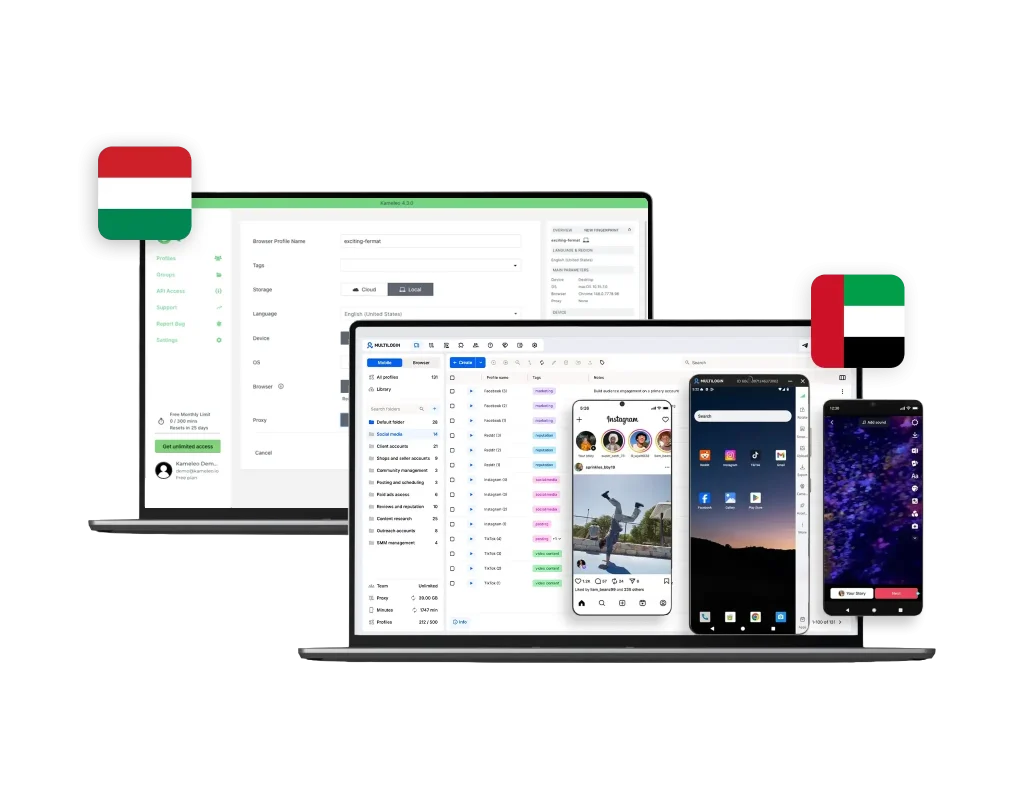
Multilogin gives you Android cloud phones that run native mobile apps just like physical devices. Choose from major brands such as Samsung, Xiaomi, Google Pixel, OnePlus, OPPO, and Vivo, select the Android version you need, install apps from the built-in store or upload APKs, and keep your app data and cache saved between uses for stable, consistent mobile workflows.
Kameleo
Kameleo does not offer cloud phones. It handles mobile accounts through desktop-based emulation, simulating Android and iOS fingerprints from a PC rather than running actual mobile app sessions in the cloud. T For teams that need real Android environments, separate app data per account, and consistent mobile sessions running in the background, Kameleo’s emulation layer is not a substitute for a true cloud phone infrastructure.
-
Built-in proxies
Multilogin
Multilogin includes a built-in premium residential proxy system, so you don’t waste time hunting for providers or testing unstable IPs. You get 30M+ high-quality IPs across 150+ countries, all managed inside one dashboard. Sessions can stay sticky for up to 24 hours, unused bandwidth rolls over, and a smart IP-quality filter removes weak or previously flagged IPs before they ever reach your profiles. This setup cuts bans, speeds up onboarding, and keeps profiles stable even on strict platforms. And if you already use your own proxies, you can connect any third-party provider with full compatibility.
Kameleo
Kameleo doesn’t include built-in proxies, so every user has to buy, test, and configure third-party IPs on their own. This adds extra cost and more points of failure. If a proxy leaks or underperforms, detection risks increase quickly — and when bans happen, troubleshooting takes longer because nothing is managed inside the platform. For beginners or teams running many accounts, the constant manual setup becomes a bottleneck.
-
Browser fingerprinting customization
Multilogin
Multilogin delivers advanced browser fingerprinting with 55+ parameters, covering canvas, WebGL, geolocation, timezone, language, and more. It also includes a cookie robot for consistent session management and proven fingerprint protection. You can also use cloud phones when you need a mobile environment for social media apps.
Kameleo
Kameleo gives users a lot of control with detailed fingerprint settings like geolocation, WebGL, client hints, and more. This level of customization can be great for advanced users, but it also means there’s more to manage. Since Kameleo doesn’t include built-in proxy support, everything depends on the proxies you set up yourself. If they’re not configured correctly, it can affect how well the browser works—and even increase the risk of getting detected or banned. For the users without technical background, all the options and setup steps might feel a bit overwhelming.
-
Data privacy & security
Multilogin
Multilogin is based in Europe and fully follows GDPR standards, giving users clear and strict data protection. When a subscription ends, all profile data is automatically deleted after three months. Passwords are securely hashed and never stored in plain text, and every profile and session is encrypted with AES-level protection in the cloud. This keeps your information safe, private, and protected from both external access and internal misuse.
Kameleo
Kameleo employs security measures to safeguard user information, in line with GDPR standards. However, it does not offer two-factor authentication (2FA) for securing access to its platform.
-
Browser flexibility
Multilogin
Multilogin combines Android cloud phones and advanced browser profiles in one unified platform. Cloud phones run real Android devices in the cloud, where you can choose the device brand and Android version while keeping app sessions persistent. For web environments, Multilogin offers powerful fingerprint control with 55+ customizable parameters and tools like Cookie Robot to maintain consistent browsing history. Together, mobile and desktop profiles stay fully isolated, structured, and ready to scale from one dashboard.
Kameleo
Kameleo supports both Chromium-based and Firefox-based engines through its custom-built Chroma and Junglefox browsers. That said, Kameleo’s mobile support is emulation-based — it mimics Android and iOS fingerprints from a desktop environment rather than running real app sessions. For workflows that stay browser-side, the flexibility is genuine. For teams that need actual mobile app behavior on Instagram, the engine variety alone does not close that gap.
-
Teamwork
Multilogin
Multilogin makes teamwork simple and scalable. You can share profiles with fine-grained permissions, keep everything synced in real time, and add unlimited team members without paying extra seats. Whether you start with 10 profiles or scale to 10,000+, the workflow stays organized and fast — ideal for growing teams, agencies, and businesses that need stable collaboration without the usual friction.
Kameleo
Kameleo supports team collaboration with options for inviting members and configuring role-based access . The Pro plan has a limited number of team members included , which may not be sufficient for larger organizations.
-
Customer support
Multilogin
Multilogin offers multilingual support 24/7 in English, Russian, Chinese, Vietnamese, and Portuguese, ensuring quick responses.
Kameleo
Kameleo offers online support, but only on weekdays. If something goes wrong over the weekend, users will need to wait for help, which can be frustrating—especially if the issue is urgent and needs quick attention.
-
Pricing
Multilogin
Multilogin now offers a free plan, including 5 browser or mobile profiles, 200 MB of one-time premium proxy traffic, and 30 one-time cloud phone minutes. Paid plans start at $11/month or $7.08/month when billed annually, with API access, monthly proxy traffic, and cloud phone minutes included. Additional premium proxy traffic starts at $3.50/GB, while extra cloud phone usage costs $0.011/minute. Pricing is transparent and scales based on profiles, proxy traffic, mobile minutes, and team requirements.
Kameleo
Kameleo’s Windows-only plans start at €29/month (Start), €59 (Solo), €99 (Pro), and €199 (Scale), but none include proxies. At typical residential rates of €3/GB, adding 5 GB of proxy traffic tacks on €15 monthly, making the Start plan €44, Solo €74, Pro €114, and Scale €214. If you need 10 GB instead, expect an extra €30 on top of each plan.
What Multilogin offers that Kameleo browser doesn’t
Multilogin lets you manage multiple accounts from one beginner-friendly platform. You get a full set of features needed for both browser and mobile account management without any extra tools.
Kameleo user or new to the game?
Discover Multilogin, a reliable alternative to Kameleo
Multilogin vs. Kameleo recap chart
Find out why Multilogin is the smarter alternative to Kameleo
-
Cloud phone
Multilogin
Included
Kameleo
Not included
-
Mobile app marketplace
Multilogin
Included
Kameleo
Not included
-
Country of origin
Multilogin
UAE
Kameleo
Hungary
-
Platform compatibility
Multilogin
macOS, Windows, Linux
Kameleo
macOS, Windows
-
Resource consumption
Multilogin
Requires 4GB RAM
Kameleo
Requires 4GB RAM
-
Desktop app
Multilogin
Included
Kameleo
Included
-
Security
Multilogin
High security
Kameleo
Standard security
-
Quick profile creation
Multilogin
Included
Kameleo
Included
-
Frequent updates
Multilogin
Frequent and detailed updates
Kameleo
Regular updates
-
Built-in proxies
Multilogin
Included
Kameleo
Not included
-
Custom browser fingerprint generation
Multilogin
Included
Kameleo
Included
-
Account password protection
Multilogin
Included
Kameleo
Included
-
Support
Multilogin
24/7 Live Support, supports 5 languages
Kameleo
Online Support: Weekdays Only
-
Knowledge center
Multilogin
Included
Kameleo
Included
-
Suits well for team management
Multilogin
Included
Kameleo
Not included
-
Free Plan
Multilogin
Included
Kameleo
Included
-
Market position
Multilogin
Built for marketers, agencies, affiliates, e-commerce teams, and businesses managing multiple mobile and web accounts. Multilogin combines Android cloud phones and browser profiles in one platform, making it easy to start and scale as account volumes, workflows, and teams grow.
Kameleo
Better suited for web scrapers and small teams.
Grow your social media accounts with Multilogin cloud phones
Build account trust, reach any location, and boost your engagement
- Unlimited time
- Mobile and browser profiles included
- Free built-in proxies & mobile minutes
Why people love Multilogin
-

A Good Cloud Phone for Account Management
Running a small team means I need control over who can access what, and Multilogin handles that well. The team access controls let me manage permissions without giving everyone the keys to every account. On top of that, the cloud phones keep everything isolated so one account issue doesn’t put the rest at risk. Solid choice for agencies managing multiple clients or accounts.
-

The best service for great ideas and big minds!
Always here for their clients, always ready to help out. I am using the service for 3-4-5 months now and brought me lots of great things 🙂 Hope to grow it on a larger scale and continue using the service …
-

Cloud phones make it easy to manage multiple TikTok accounts with AI agents
I use Multilogin to manage a bunch of AI agents running TikTok accounts for different countries. Since each agent needs its own account, I wanted an easy way to keep everything organized. Cloud phones make it super easy. Every account has its own phone, so I don’t have to buy or manage a bunch of real devices. I can see everything in one dashboard while the AI agents handle posting and the rest of the daily work.
-

Ideal for Social Media Management
I mainly use Multilogin for client social media management, and the cloud phones have been the biggest advantage for me. I can keep different clients in separate environments, leave their sessions running, and jump between accounts without constantly switching physical devices. It feels much more practical than trying to manage everything from a pile of phones.
-

Perfect browser for work, worth the money!
My overall experience with Multilogin has been excellent. I really like its intuitive dashboard, reliable customer support, and competitive pricing. It has become an essential part of my e-commerce business, and I highly recommend it to anyone looking for a dependable solution.
-

Safer accounts using Cloud Phones for social profiles
Running social profiles on cloud phones feels safer, everything is properly separated instead of relying on browser fingerprint tricks alone. Been running mine for a couple months with zero linking issues.
-

Efficient Account Management and Outstanding Support with Multilogin
Multilogin has been an excellent tool for managing multiple accounts efficiently. The setup was quick, and I was able to start using it right away with no learning curve. The interface feels just like Chrome, making it easy to navigate and work without interruption. Performance has been smooth, and browsing feels natural and responsive.
The award-winning platform for social media growth













See more comparisons
- Compare with Android Emulator
-
Compare with

-
Compare with

- Compare with Browser Emulator
-
Compare with

-
Compare with

-
Compare with
-
Compare with

-
Compare with

-
Compare with

-
Compare with

-
Compare with

-
Compare with

-
Compare with

-
Compare with
-
Compare with

-
Compare with

-
Compare with

-
Compare with

-
Compare with
-
Compare with

-
Compare with

-
Compare with

-
Compare with

-
Compare with
-
Compare with

-
Compare with

-
Compare with
-
Compare with

-
Compare with

-
Compare with

-
Compare with

-
Compare with

-
Compare with

-
Compare with

-
Compare with

-
Compare with

-
Compare with
Watch the Multilogin Demo
Watch a 10-minute demo to see how easy it is to create and manage multiple accounts with Multilogin.
Kameleo vs. Multilogin: Which multi-account platform fits you in 2026?
Managing multiple accounts requires more than just isolated browser profiles. You need a tool that prevents bans, scales with your operations, and simplifies proxy and automation management.
Kameleo and Multilogin are two well-known options for managing multiple online accounts. Each has its strengths and is designed to enhance privacy and scalability. But which one truly stands out in 2026? Let’s find out.
Kameleo vs. Multilogin cloud phones: Built for mobile workflows
Kameleo does not provide cloud phone technology. The platform focuses on desktop-based profile management, allowing users to handle multiple web accounts through isolated browser sessions. Its mobile support is limited to emulating Android and iOS fingerprints from a PC — there is no real Android environment, no native app support, and no actual mobile device identifiers. For Instagram, TikTok, or any platform where mobile app behavior matters, this is a meaningful limitation.
Multilogin, in contrast, offers real cloud phones running Android (versions 10–15) in the cloud. Each device includes authentic identifiers such as IMEI, Android ID, and MAC address, allowing users to operate mobile apps in an environment that closely mirrors a real smartphone. Users can install apps through a built-in marketplace or upload APK files, maintain persistent app sessions, and manage multiple devices from a single dashboard.
For teams working with Instagram scaling, TikTok management, or large-scale mobile account operations, Multilogin’s cloud phones provide a more advanced and scalable solution — enabling true mobile environments rather than relying on desktop emulation.
Kameleo vs Multilogin: Proxy integration (Which saves you more headaches)
Kameleo comes with a major gap: no built-in proxies. You must buy external proxies, test them, configure them, and pray you didn’t miss a leak. Every weak IP increases the chance of bans. And when something breaks, the problem is usually between your proxy provider and Kameleo—making it harder to troubleshoot and more expensive to maintain.
Multilogin removes that friction completely. You get built-in premium residential and mobile proxies (30M+ IPs in 150+ countries) with bandwidth rollover, and smart IP filtering that blocks low-quality IPs before they touch your setup. If you have your own proxies, you can still plug them in. Everything stays in one place, and the risk of misconfiguration drops sharply.
Kameleo vs Multilogin: Fingerprinting technology (Enterprise security requirements)
Kameleo gives deep manual controls, but it’s easy to break things. You can tweak WebGL, geolocation, client hints, and more—but every adjustment increases the risk of creating an unnatural fingerprint. And there’s no built-in mobile emulation unless you use a separate Android app, which slows down workflows for mobile-first platforms.
Multilogin gives you 55+ fingerprint controls that are automatically matched, stable, and realistic. You also get Android profile emulation, pre-farmed cookies, and a Cookie Robot that warms up profiles naturally, reducing early bans and avoiding suspicious activity patterns. With one-click profile creation, you get clean identities in seconds.
Kameleo vs Multilogin: Automation and Scraping (Who makes it easier)
Kameleo supports automation through SDKs, but scaling is tough. Profiles are local. Setup is technical. High-volume tasks often slow down, and distributing workloads across different devices requires extra tools and manual syncing. It works, but not without friction.
Multilogin is built for large-scale automation. It integrates directly with Selenium, Playwright, Puppeteer, Postman, and CLI workflows, so you can automate everything—from proxy rotation to profile creation to scraping routines. You can launch profiles via commands, rename them on the fly, move them between groups, and run up to 10 tasks at once.
Kameleo vs Multilogin: Teamwork and Collaboration (Which works better for teams)
Kameleo supports collaboration but with limits. Team features unlock only on higher-tier plans, and even then, sharing profiles often requires manual exports or imports. As teams grow, so do the problems—version conflicts, lost data, mismatched setups, and slow onboarding.
Multilogin makes teamwork natural. You get unlimited free team member accounts, role-based permissions, and real-time cloud sync on every plan. Teams can work simultaneously without breaking profiles or duplicating efforts. Whether you’re handling 5 accounts or 10,000, the structure stays stable.
Grow Social Media Accounts Safely with Multilogin
Managing multiple social media profiles requires more than just creating accounts. Each profile needs a consistent environment where it can build its own history, location, and activity patterns over time.
Multilogin helps creators, marketers, agencies, and AI agents manage multiple social profiles from one dashboard. Mobile-first platforms like TikTok, Instagram, and Facebook run on dedicated Android cloud phones, while web-based platforms like Reddit and YouTube can run in isolated browser profiles. Each environment keeps its own apps, sessions, cookies, and network settings.
With dedicated cloud phones, built-in residential proxies, and persistent profiles, Multilogin provides the infrastructure needed to grow social profiles at scale. For example, teams can run multiple Instagram accounts with Multilogin Cloud Phones while keeping each profile in its own dedicated environment.
Multilogin also supports AI-driven workflows by allowing users to connect automation tools and use AI agents for social media management. Whether you manage brand accounts, client profiles, or automated workflows, you can keep your social media operations organized from one platform.
Why Social Media Teams Choose Multilogin for Account Management
Managing multiple social media profiles across different platforms, clients, and campaigns can become complicated without the right infrastructure. Teams often need separate environments, organized workflows, and reliable access management to scale effectively.
Multilogin simplifies this process by giving every social profile its own cloud phone or browser profile. Agencies can manage multiple social media accounts for business, organize profiles by client or campaign, and collaborate with team members without mixing account data.
Unlike traditional social media management tools that focus mainly on scheduling and publishing, Multilogin provides the account infrastructure behind those workflows. Teams can manage profiles across TikTok, Instagram, Facebook, Reddit, and YouTube while keeping each account separated and scalable.
From content creators and marketing agencies to AI workflow builders, Multilogin helps teams build a more efficient system for managing and growing multiple social profiles.
Final Verdict: Kameleo or Multilogin ?
Kameleo is strong for technical users who want deep manual control and don’t mind spending time configuring every detail. But for most real-world workflows—multiple accounts, ads, scraping, client projects, or scaling across a team—its complexity becomes a bottleneck.
Multilogin is the better long-term choice.
You get:
- Built-in residential proxies
- 55+ fingerprint controls
- Cloud phones and browser profiles in one dashboard
- Automation with Selenium, Playwright, Puppeteer, Postman, and CLI
- Unlimited team members
- 24/7 multilingual support
- GDPR-level security and encrypted profile storage
If you want fewer bans, fewer setup problems, and a platform that grows with your workflow, Multilogin gives you a stable environment from day one.
Multilogin vs. Kameleo browser FAQ
What’s the key difference between Kameleo and Multilogin?
Kameleo focuses on desktop-based profile management with deep manual fingerprint controls and dual-engine browser support through its custom Chroma and Junglefox browsers. It suits technical users who want granular configuration. Multilogin is built for teams and scale, combining browser profiles, cloud phones, built-in proxies, and automation in one unified dashboard. The core difference is complexity vs. completeness: Kameleo gives you more manual control, Multilogin gives you a more stable, ready-to-use infrastructure.
Which tool is better for managing multiple Instagram or TikTok accounts?
Multilogin is the stronger choice for social media account management. Its cloud phones run real Android environments, meaning each Instagram or TikTok account operates in its own isolated mobile session; separate app data, device identity, and proxy. This closely mirrors having a different physical phone per account, which is exactly what platforms like Instagram look for when assessing account legitimacy. Kameleo emulates mobile fingerprints from a desktop, which works for browser-based workflows but falls short for native app behavior that social media platforms increasingly rely on to detect suspicious patterns.
Does Kameleo offer cloud phones for mobile account management?
No. Kameleo does not offer cloud phones. Its mobile support is limited to emulating Android and iOS fingerprints from a desktop environment. There are no real Android sessions, no native app support, and no actual mobile device identifiers like IMEI or MAC address. For teams managing Instagram, TikTok, or other mobile-first platforms at scale, this is a significant gap. Multilogin’s cloud phones run real Android (versions 10–15) in the cloud, with authentic device identifiers, persistent app sessions, and full isolation between accounts — all managed from a single dashboard.
Does Kameleo offer built-in residential proxies?
Kameleo doesn’t offer built-in proxies—you’ll need to find, buy, and set up your own. Multilogin, in contrast, provides built-in access to 30 million+ sticky residential IPs, and even if you prefer another provider, you can integrate any third-party proxy smoothly with just a few clicks.
How do team features differ between Kameleo and Multilogin?
Kameleo supports team collaboration, but access controls and profile sharing are limited on lower-tier plans and often require manual exports or imports as teams grow. Multilogin includes unlimited free team member accounts, role-based permissions, and real-time cloud sync on every plan. Teams can share browser profiles and cloud phone environments simultaneously, assign account access by role, and work across Instagram, TikTok, or any other platform without conflicts or duplicated effort. For agencies managing multiple clients or large account portfolios, Multilogin’s team infrastructure is significantly more practical.
Is Kameleo secure?
Kameleo does encrypt your profiles, cookies, and credentials locally, but it doesn’t automatically purge inactive data—so you must manually clean up old profiles to stay tidy. Multilogin, by contrast, is fully GDPR-compliant: it encrypts all data end-to-end and automatically deletes any inactive profiles after three months, giving you hands-off data hygiene and compliance.
Which platform is more affordable, Multilogin or Kameleo?
Multilogin is generally more accessible for users who want to start with a lower budget because it offers a free option and lower entry-level paid plans. Kameleo is usually positioned at a higher price point, which may suit advanced users or teams that already have established multi-account workflows.
Do Multilogin and Kameleo support cloud phones?
Multilogin offers real Android cloud phones together with browser profiles, allowing users to manage mobile apps and desktop web accounts in one platform. Kameleo mainly focuses on browser profiles and mobile environment emulation, so it may not provide the same full Android cloud phone experience.
Which platform is better for proxy management?
Multilogin provides integrated proxy management and includes premium proxy traffic with selected plans, which reduces the need to coordinate multiple external tools. Kameleo supports a wide range of external proxy types, but users usually need to source, configure, and manage those proxies separately.
Why choose Multilogin over Kameleo?
Multilogin offers advanced fingerprinting, built-in residential proxies, cloud phones, automation, and a free plan with 5 profiles, making it a more complete solution for multi-account management.
Does Multilogin have a free plan?
Yes. Multilogin offers a free plan with 5 cloud browser or mobile profiles, proxy traffic, and cloud phone minutes, so you can try its key features before upgrading.