
Ecommerce proxy & antidetect browser
Multilogin’s built-in ecommerce proxies let you manage multiple storefronts, collect product data, and test ads through trusted local connections. Every profile runs on stable residential IPs backed by 95% clean IP quality, long sticky sessions, and a 30M+ proxy pool that keeps your accounts safe during heavy daily work.
Sign in to multiple accounts using Ecommerce proxy
Run several storefronts on one device without getting flagged. Multilogin’s ecommerce proxies give each profile a trusted local IP with long sticky sessions, letting you switch accounts and handle daily tasks without bans or cross-account linkages.
Longer sessions with Ecommerce proxies
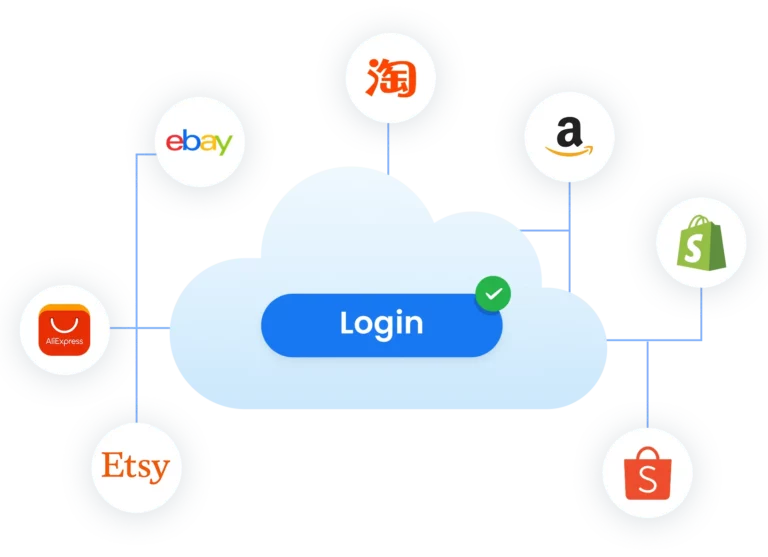
Ecommerce proxies keep your sessions stable for hours, so you can manage stores, update listings, and run checks without constant reconnects. Multilogin pairs these long sticky sessions with clean residential IPs, giving your profiles the steady environment they need for reliable daily work.
Automate repetitive tasks with Ecommerce proxies
Ecommerce proxies help automation run without interruptions. Multilogin supports Postman, Selenium, Playwright, Puppeteer, and the Multilogin CLI, so you can automate price checks, listing updates, scraping, and account actions with stable proxy sessions behind every profile. Your workflows stay consistent, and your accounts stay protected during high-volume tasks.
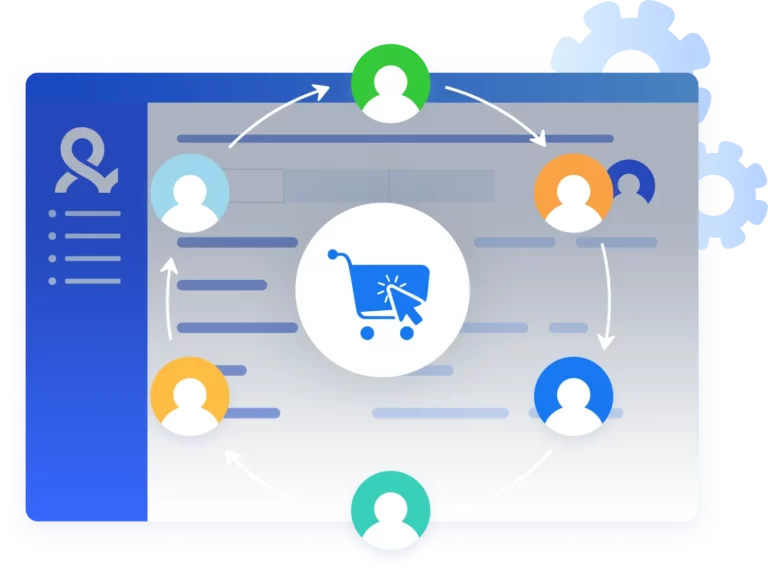
Manage multiple ecommerce accounts
Using a proxy and antidetect setup lets you run several storefronts safely on one device. Each account gets its own isolated environment, clean residential IP, and long session, so you can switch tasks, test regions, and scale without triggering bans or linking your profiles.
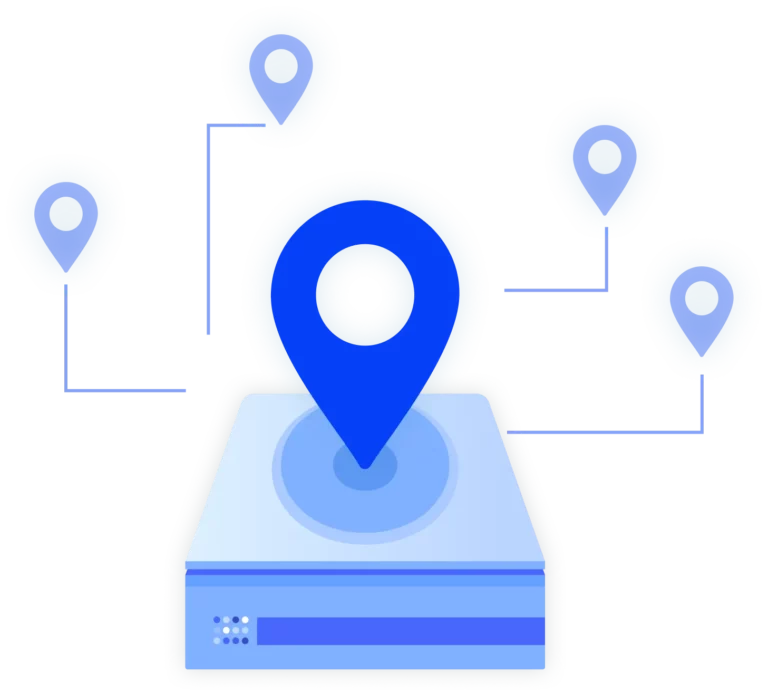
Import third-party ecommerce proxies
You can import any third-party ecommerce proxy into Multilogin with full support for HTTP(S), SOCKS5, residential, ISP, and mobile connections. Add your proxy details, assign them to profiles, and run your storefronts in a stable, isolated environment that fits your workflow.
Manage Unlimited Mobile and & Web Accounts
-
3-day access to Multilogin
-
5 cloud or local profiles
-
200 MB proxy traffic included
-
3-day access to Multilogin
-
5 cloud or local profiles
-
200 MB proxy traffic included
What is antidetect browser?
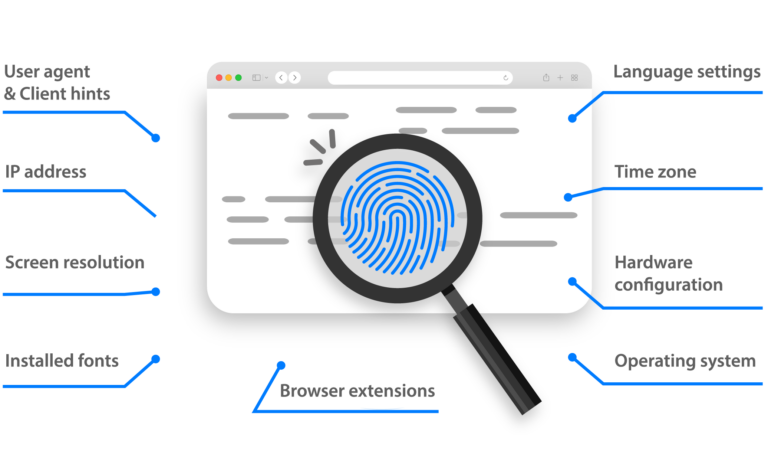
An antidetect browser allows you to run multiple accounts from one device without getting detected. Each browser profile has a unique fingerprint, making it appear as a completely separate user. This helps you avoid bans, prevent account links, and safely manage multiple stores or platforms.
Why use Multilogin for ecommerce and dropshipping?
Multilogin gives you the infrastructure to scale your dropshipping business without limits. From launching new stores to expanding into global markets, it keeps your entire operation organized, secure, and ready to grow — all from a single platform.

Multilogin Features

Bypass bot detection
Our anti-fingerprinting tech bypasses multi-account and automated browser detection by masking unique browser fingerprints.
Team collaboration
You can collaborate on browser profiles and easily share passwords, cookies, and session progress with team members.

Data sync over cloud
Use cloud browser profiles to sync data across multiple devices or VPS instances.

Fingerprint adjustment to match proxy
Automatically adjust browser fingerprints to match proxy locations, supporting all types for enhanced security.

Support for all proxy types
Use our proxies or bring your own. Multilogin supports all proxy types.

Residential rotating IPs
Testing our residential proxies daily ensures flawless performance with major platforms.
Integration with Selenium, Playwright, and Puppeteer
Automate data extraction with popular browser automation drivers all while keeping them invisible to anti-automation bots.
Headless browsers
Headless browsers are faster and lightweight, perfect for high-speed scraping. Run them on your own infrastructure for greater control and performance.
Related solutions you might like
Why people love Multilogin

Dominik


Nino Latif


George M.
Co-Founder, Small-Business

Most Awarded Antidetect Browser













How to start using Multilogin
Start collecting data effortlessly with the industry leading antidetect browser.

Sign up
Register using a verified email address.

Choose your plan
Select from various subscription plans tailored to your business needs.

Download Multilogin agent
Available for Windows, Mac, and Linux.

Create your first browser profiles
Set up separate environments for each store or supplier.

Start running your dropshipping business
Log in to each store from an isolated profile — safely, from one dashboard.
Watch the Multilogin Demo for Dropshipping
Watch our 3-minutes demo to see how Multilogin can simplify building and managing your dropshipping strategies while keeping you under the radar. Just enter your name, last name, and email below, and we’ll send the demo video straight to your inbox.

What is an Ecommerce proxy and why do online sellers use it?
If you’ve ever watched one of your seller accounts get banned right before a product launch, you already know why ecommerce proxies exist. Selling across platforms means juggling multiple logins, region checks, device fingerprints, and constant monitoring. One wrong signal — one repeated login from the same device or IP — and the system locks everything down.
An ecommerce proxy helps you avoid that. It gives you a clean, trusted IP every time you open a store profile, so your activity looks natural to the marketplace. Sellers use them to manage multiple ecommerce accounts, test new regions, collect product data, and monitor competitors without getting flagged.
Think of it as running your business without drawing attention. You get the freedom to explore new opportunities without risking the accounts that keep your revenue alive.
What are Ecommerce proxies used for
Ecommerce teams rely on proxies because most platforms only want one seller per device. The moment you open a second store from the same IP or fingerprint, the platform connects the dots — and your accounts become linked. That link is what gets people banned.
Here’s where ecommerce proxies come in:
- Running multiple seller accounts without connecting them
- Checking regional inventory, pricing, and buy box changes
- Monitoring competitor listings
- Scraping product data without hitting rate limits
- Testing offers and keywords in different locations
- Managing dropshipping suppliers
- Building new stores slowly and safely
If you’ve ever had to rebuild an account from scratch, you know how much time and energy you lose. A stable proxy setup helps you avoid that hit.
But proxies alone aren’t enough. Sellers now face device fingerprinting, browser history checks, inconsistent sessions, and sudden re-logins. That’s where the right antidetect environment makes the difference.
Why Ecommerce sellers need more than just a proxy
A proxy hides your IP, but it doesn’t hide the device behind it. Marketplaces read much more: screen size, canvas data, audio stack, timezone, fonts, OS signals, all of it. If those details don’t match the proxy or the past behavior of the account, you get flagged faster than you think.
That’s why sellers combine proxies with:
- Unique browser fingerprints
- Long-lived session data
- Stable cookie history
- Consistent environments for each account
When each account has its own identity, it survives longer. When you mix them, everything collapses together.
How Multilogin supports Ecommerce workflows with more than just a proxy
Ecommerce sellers choose Multilogin because it gives every store its own isolated browser profile. Nothing mixes — not the IP, not the cookies, not the device identity. Each store gets its own controlled environment, which lowers the risk of bans and keeps accounts alive longer.
You open a profile, assign a residential proxy, and work safely without worrying that another store will leave a trail behind.
What Multilogin features support ecommerce automation and daily tasks?
Ecommerce work is repetitive: checking listings, updating prices, scraping product data, monitoring competitors. Multilogin makes these tasks lighter by offering:
- Built-in proxy automation — assign, rotate, and manage proxies inside the app
- AI Quick Actions — create or modify batches of profiles with simple prompts
- Profile isolation — each store stays separate, even during high-volume tasks
- Mobile and desktop profile options — ideal for platforms that behave differently on mobile
- Cloud or local storage — keep data secure based on your workflow
- Role-based team permissions — agencies and teams avoid accidental cross-contamination
These tools remove friction from daily ecommerce operations. You get a steady working environment even during busy sales cycles.
How does Multilogin improve trust for fragile or newly created ecommerce accounts?
New seller accounts are easy to break. A fresh profile with no history looks suspicious immediately. Multilogin helps sellers avoid early bans with:
- Pre-farmed cookies — each profile carries natural browsing activity
- Cookie Robot — automatically warms up accounts with trusted behavior
- Stable fingerprints tested across major detection platforms
- Consistent sessions that don’t randomly reset
If you’ve ever been flagged during verification, you know how valuable this is. A warmed profile survives longer, builds trust faster, and avoids the early strike that kills most new stores.
How Multilogin helps Ecommerce sellers stay undetected
New seller accounts are fragile. If you log in too soon, too often, or from a blank device profile, the trust score drops. That usually leads to restrictions or outright bans.
Multilogin solves this with:
- Pre-farmed cookies — profiles come with aged browsing behavior that looks natural
- Cookie Robot — a feature that warms up accounts by generating realistic activity across the web
Instead of creating a new store on a “cold” fingerprint, you start with a profile that already looks lived-in. Platforms see normal movement, not an empty shell created five minutes ago.
If you’ve ever lost an account during verification, you know how much this matters.
When should you use the Multilogin X app (desktop) for Ecommerce
As your store count grows, the browser version becomes too slow. Switching between accounts breaks focus, and the legacy agent sometimes reconnects at the worst moment.
The Multilogin X app (desktop) fixes this by running its launcher automatically. Profiles open faster and require fewer clicks. If you spend your day rotating between Amazon, Etsy, Shopify, and supplier dashboards, the desktop app keeps everything steady when the pressure builds.
People usually stick to the web version for organizing profiles, then launch them through the Multilogin X app (desktop) when the real work starts. It keeps the day moving instead of pulling you into technical steps.
Do You actually need an Ecommerce proxy setup
You need one if any of these feel familiar:
- You run more than one seller account
- You sell in multiple countries
- You do daily product or competitor research
- You’ve been flagged for suspicious activity
- You scrape listings or pricing
- You manage clients and can’t risk overlap
- You’ve had accounts banned before
If any of these sting, you’re exactly the kind of seller ecommerce proxies were built for.
But remember: a proxy without a stable browser identity is not enough anymore.
You need both — IP + fingerprint — working together.
Final Thoughts
Ecommerce proxies help you stay under the radar, but the real protection comes from pairing them with consistent browser identities, stable cookies, and a clean environment for every store.
If you want to avoid bans, keep accounts alive longer, and explore new regions safely, Multilogin gives you that foundation with:
- Built-in proxy automation
- Unique fingerprints
- Cookie Robot + pre-farmed cookies
- Long-term stable profiles
- The Multilogin X app (desktop) for heavy workloads
You stay in control. The accounts stay separate. And growth becomes less stressful than it used to be.
FAQs about Ecommerce proxy
What is an ecommerce proxy?
An ecommerce proxy is a residential IP that lets you open and manage store accounts without showing your real location. It helps you research products, check regional listings, and run multiple seller accounts without triggering platform restrictions.
Why do ecommerce sellers use proxies?
Sellers use proxies to avoid bans caused by repeated logins, location conflicts, or linked accounts. A stable proxy lets you work from the correct region, run several stores safely, and collect product data without getting blocked.
Do ecommerce proxies prevent account bans?
They reduce the risk, but a proxy alone isn’t enough. Ecommerce platforms read more than an IP — they check cookies, behavior, and device identity. This is why sellers pair proxies with Multilogin’s isolated browser profiles to keep accounts from being linked.
How does Multilogin help when running multiple ecommerce stores?
Multilogin gives each store its own isolated browser profile with a unique fingerprint, cookies, and IP. Nothing overlaps. If one store has issues, the others stay safe. This setup is far safer than switching accounts inside a normal browser.
Can I warm up new seller accounts inside Multilogin?
Yes. Multilogin offers pre-farmed cookies and a cookie robot that creates natural activity for new profiles. This reduces the chance of early bans and helps new seller accounts build trust before you start using them heavily.